A straight, level listing photo works best.
Walls, windows and doors stay exactly as in your photo. Video is paid only after you approve the after.
Room makeover video
Watch the room transform
Furniture arrives piece by piece, cabinets change color, the lights come on at dusk. The room itself never changes shape.
← Start with a photo in the panel on the left.
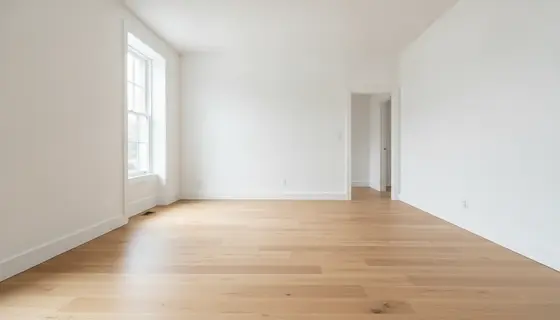 Made from this photo
How it works
- 1Add a photo of the room
A straight, level listing photo. Pick what should change and a style.
- 2Pick the after
Three options drawn from your photo, 1 credit. Only what's listed is added.
- 3Get the video
Your photo to the after, in one take, from 100 credits. A small "Virtually staged" label is on by default.
What can change
Click one to use it.
What you get
Your logo, colors and fonts come from your brand kit.
Tips for a good result
- Shoot straight on and level, from a corner, with the lights on.
- Empty or tidy rooms give the cleanest staging.
- Check the after: walls, windows and doors should match your photo. If anything moved, pick another option.
Room makeover questions, answered
- How long is a room video, and what does it cost?
- 6 or 10 seconds, wide, vertical or square. 6 seconds is 100 credits, 10 seconds 170 credits; the three afters before it are 1 credit.
- Will the room change shape?
- No. The afters are drawn from your photo with the walls, windows and doors kept, and the video adds only what the after lists.
- Is the staging labeled?
- Staged and renovated videos carry a small "Virtually staged" label by default, which many listing sites ask for. You can turn it off, and you keep your original photo.
- What if a video fails?
- The credits come back automatically. You're only charged for videos that are made.
Ready when you are.
Start with a photo in the panel on the left. It takes about a minute, and changes afterwards are free.