Crop an image

JPG, PNG, WebP, GIF or BMP. It runs in your browser, so your photo isn't uploaded.

Free · Exact sizes · No sign-up

Crop any image to the shape you need.

Freeform, locked to a ratio, or to an exact pixel size. Rotate, flip and straighten in the same place. Free, with no watermark, and it runs in your browser.

Square posts, portrait feeds, widescreen headers, stories and print sizes.

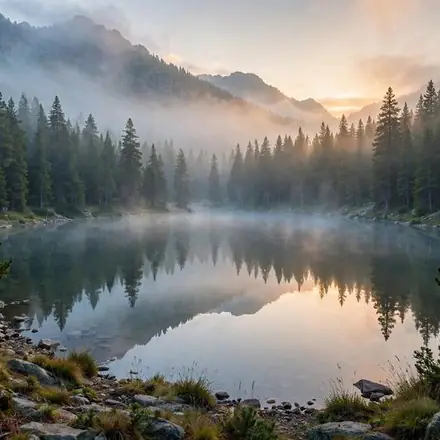
A misty mountain lake, cropped square

One photo, every shape

The same photo cropped for four places it might go.

A misty mountain lake, cropped square

Square, 1:1

Instagram and Facebook posts, profile pictures and product tiles.
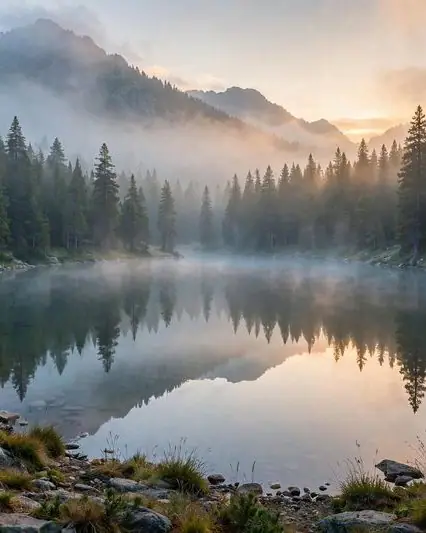
A misty mountain lake, cropped to 4:5

Portrait, 4:5

The tallest post Instagram shows in the feed.
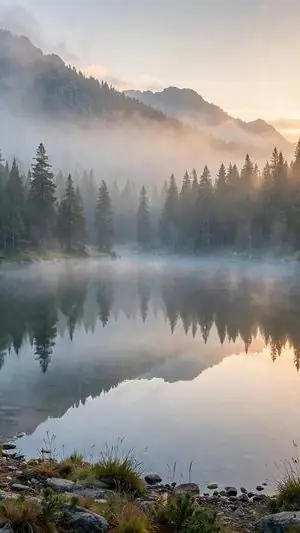
A misty mountain lake, cropped to 9:16

Story, 9:16

Stories, Reels, TikTok and phone wallpapers.
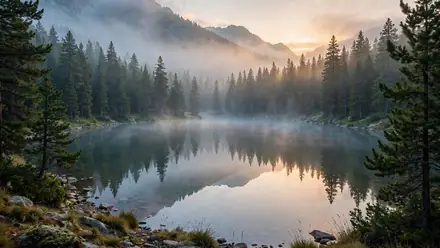
A misty mountain lake, cropped to 16:9

Widescreen, 16:9

YouTube thumbnails, website headers and slides.

How to crop an image

  1. 1
    Upload a photo

    Choose an image from your device, or pick one from your StockUnlimited library. The crop tool opens.

  2. 2
    Pick a shape and frame it

    Choose freeform, a ratio or an exact size, then drag the frame and the corners until it's right.

  3. 3
    Save it

    Save to your device as PNG, JPEG, WebP or PDF, or to your StockUnlimited library to come back to it later.

Why use this image cropper

Ratios and exact sizesLock to 1:1, 4:5, 16:9 and more, or type the exact width and height in pixels.
Rotate and flipTurn a sideways photo upright or mirror it, in the same step.
Your layers stay editableCropping keeps text, stickers and image layers as layers instead of flattening them.
Free, with no watermarkCrop as many images as you like. No credits, and no sign-up needed to start.
Every social size at onceNeed a set? The Social media resizer exports one photo for every platform in a single zip.
The whole editor, right thereWhen you're done, keep going: crop, add text, remove the background or resize for every social platform.

Questions people ask

Is cropping really free?
Yes. It's free and unlimited, with no watermark on what you save. You don't need an account to start.
Can I crop to an exact size in pixels?
Yes. Type the width and height you need, and the crop frame locks to that shape. The saved image comes out at that exact size.
What's the difference between cropping and resizing?
Cropping cuts away the edges to change the shape. Resizing changes the whole image's size without cutting anything. The editor does both.
Does cropping lower the quality?
No. What's left is kept at its original resolution. If you then need it bigger, the editor's Quick Upscale 2× is free.
What sizes should I use for social media?
Square 1:1 or portrait 4:5 for feed posts, 9:16 for stories and short video, 16:9 for YouTube and headers. The Social media resizer makes all of them from one photo.
Can I use the result commercially?
Yes, for images you have the rights to. Stock photos you license from StockUnlimited keep their royalty-free license after editing.

Crop your photo in seconds.

Nothing to install, and your image stays on your device.