MP4, MOV or WebM videos, JPG, PNG or WebP photos, and MP3, WAV or M4A music. Your clips stay on your computer; nothing is uploaded.
The video editor needs a laptop or desktop screen. Your videos in the Library will be there when you do.
Free online video editor
Edit videos right in your browser.
Trim and combine clips, add text, transitions and music, and download an MP4 for Reels, TikTok or YouTube. Free, with no watermark, and nothing to install.
Works best in Chrome or Edge on a laptop or desktop. No account needed to start.
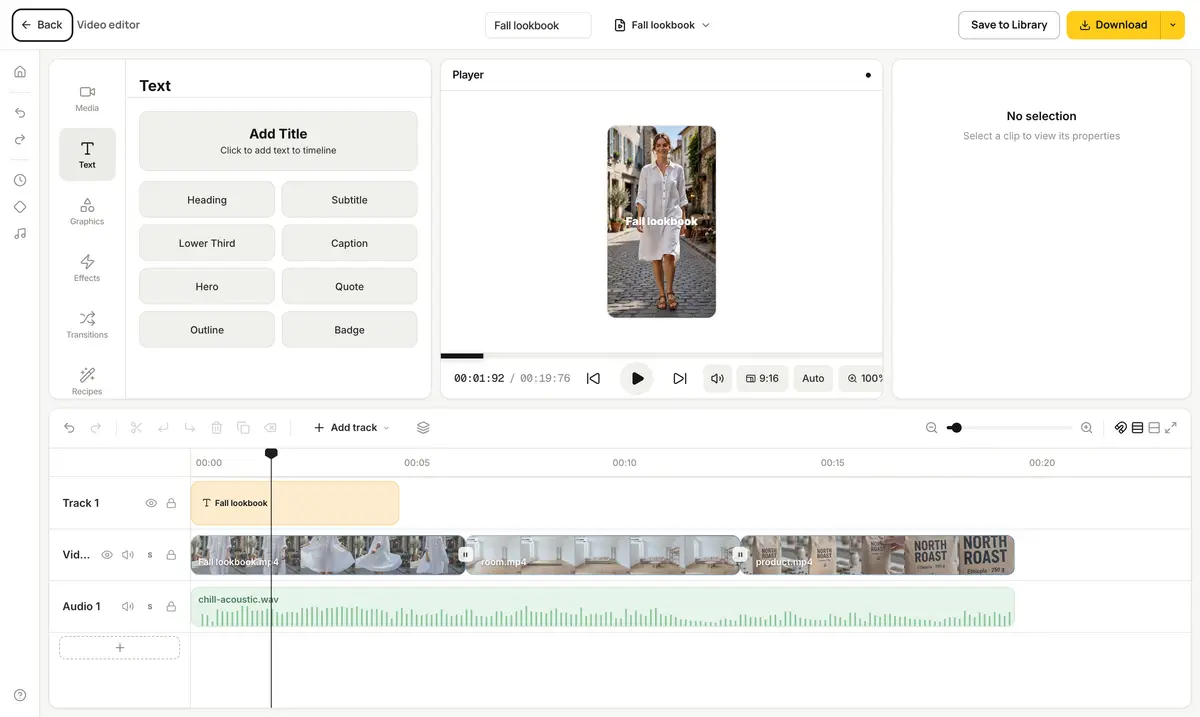 Exported MP4 · 1080×1920
Everything a short video needs
A full timeline editor that opens like a web page. Free to use, as often as you like.
How it works
- 1Add your clips
Upload videos, photos and music from your device, or pick AI videos and photos from your Library.
- 2Arrange and dress them up
Trim and order the clips on the timeline, then add text, transitions and a soundtrack.
- 3Download your video
Download an MP4 for Reels, TikTok or YouTube. It's made right in your browser, in seconds.
Need clips to start with?
Make one with Create Video: describe it, or start from a product or fashion photo. Then open it here to cut it together with others, add titles and set it to music.
Questions people ask
- Is the video editor free?
- Yes. Editing and downloading are free, with no watermark and no account needed. Adding videos and photos from your Library needs a free account.
- Are my videos uploaded?
- No. The editor runs in your browser: your clips stay on your computer, and the finished video is made there too and downloaded straight to your device.
- What files can I use?
- MP4, MOV and WebM videos, JPG, PNG and WebP photos, and MP3, WAV and M4A audio.
- What do I get when I download?
- An MP4 (H.264) at your video's size: 1080×1920 for vertical videos, for example. You can also pick a smaller file, 60 frames per second, or just the audio as a WAV.
- Does it work on a phone?
- Not yet. The editor needs a laptop or desktop screen. It works best in Chrome or Edge.
- Can I edit the AI videos I made on StockUnlimited?
- Yes. Open any video in your Library and choose Open in video editor, or add Library videos and photos from inside the editor.
- Will I lose my work if I close the tab?
- No. Projects save in your browser as you go. Open the editor again and pick it from Your projects, on the same computer and browser. To keep a finished video, download it.