Retouch a portrait

JPG, PNG, WebP, GIF or BMP. It runs in your browser, so your photo isn't uploaded. Needs a photo with a face in it.

Free · Private · No sign-up

Smooth skin, keep it looking like you.

Beautify finds the face and softens skin while eyes, brows, lips and hair stay sharp. Set the strength with a slider, then brush away any blemish with Retouch. Free, in your browser.

For profile pictures, headshots, team pages and portraits.

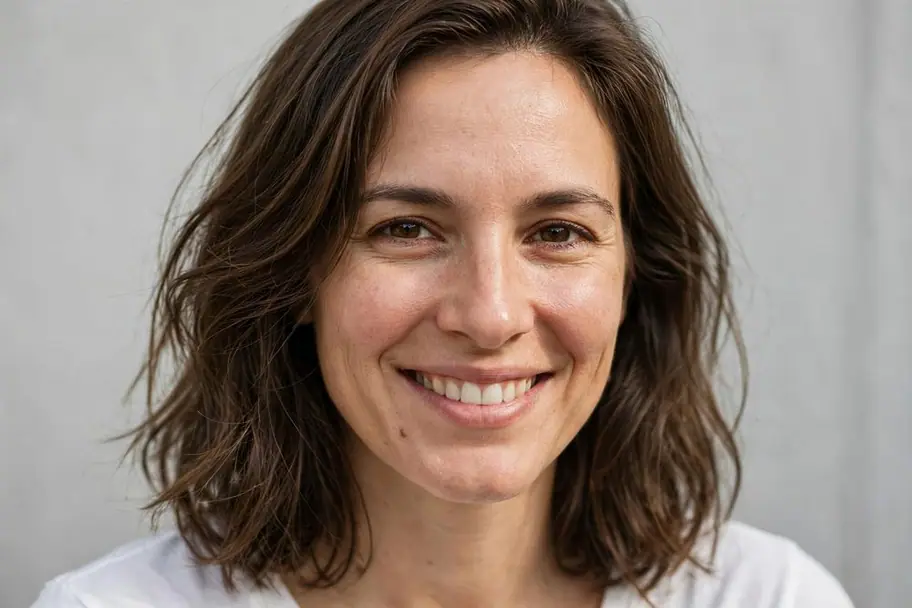
A close-up portrait of a smiling woman, edited with BeautifyA close-up portrait of a smiling woman, original photo

See what it does

Real results from Beautify. Tap an image to compare it with the original.

Headshots

Even skin for a LinkedIn photo or a team page, without the plastic look.

Portraits

Soften shine and texture, keep the features and the character.

How to retouch a portrait

  1. 1
    Upload a portrait

    Choose a photo from your device, or pick one from your StockUnlimited library. Beautify finds the face on its own.

  2. 2
    Set the smoothing

    Drag the slider until the skin looks right, then apply. Use the Retouch brush for any spot that's left.

  3. 3
    Save it

    Save to your device as PNG, JPEG, WebP or PDF, or to your StockUnlimited library to come back to it later.

Why use this retouch tool

Skin onlyEyes, brows, lips and hair are kept out of the smoothing, so the face stays sharp.
You set the strengthFrom a light touch to a softer finish, previewed live before you apply it.
Blemish brushRetouch paints over single spots and small flaws, blending them into the skin around.
Private by designFace detection runs on your device, so your photo isn't uploaded.
Free, with no watermarkRetouch as many photos as you like. No credits, and no sign-up needed to start.
The whole editor, right thereWhen you're done, keep going: crop, add text, remove the background or resize for every social platform.

Questions people ask

Is photo retouching really free?
Yes. It's free and unlimited, with no watermark on what you save. You don't need an account to start.
Will it make the face look fake?
Not unless you push it. Smoothing only touches skin, and you set the strength. A light setting evens out texture and shine while keeping the person recognizably themselves.
What if no face is found?
Beautify needs a clear face, looking roughly toward the camera. For other photos, use the Retouch brush to paint over spots by hand.
Is my photo uploaded to your servers?
No. Face detection and smoothing run in your browser. Your photo only leaves your device if you save it to your StockUnlimited library.
Can I retouch someone else's photo?
Only photos you have the right to edit and share. Don't use retouching to mislead, for example on ID photos.
Can I use the result commercially?
Yes, for images you have the rights to. Stock photos you license from StockUnlimited keep their royalty-free license after editing.

Retouch your portrait.

Nothing to install, and your image stays on your device.