Image
Video
One clear subject works best: a person, a product or a pet. JPG, PNG or WebP, up to 25 MB.
Change the lighting in a photo · Free
Move the light after the photo is taken.
Drag colored lights over your photo and watch them wrap around the face, the product or the pet. Start from a studio setup, golden hour or neon, then make it yours.
Free, no watermark. Samples need no account; your own photos need a free one.
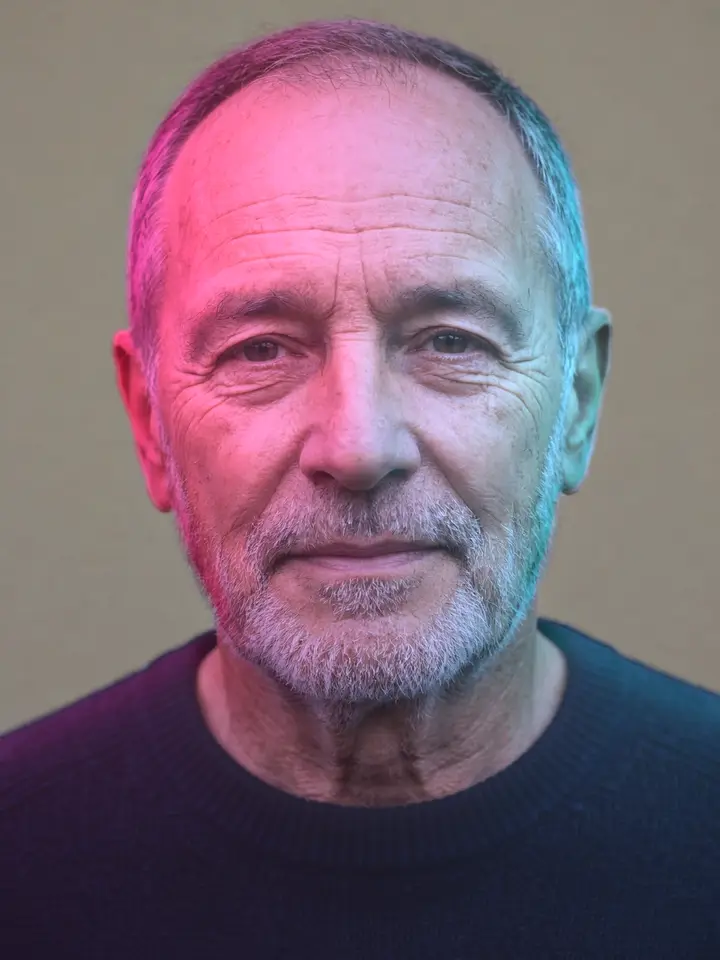

6 lighting setups to start from
Pick one, then drag the lights, change their colors or turn one off.






How to change the lighting in a photo
- 1Add a photo
Upload a portrait, a product or a pet, pick one from your Library, or try a sample. It takes a few seconds to read the photo's shape.
- 2Place the lights
Start from one of 6 lighting setups, then drag up to three colored lights over the photo and set their power and height.
- 3Download it
Download the relit photo, save it to your Library, or keep editing it in the image editor.
What it does
Questions people ask
- Is Relight Studio free?
- Yes. Relighting and downloading are free, with no watermark. The sample photos need no account; your own photos need a free account, which also lets you save results to your Library.
- How do I change the lighting in a photo?
- Add a photo, pick a lighting setup, then drag the light dots over the photo to move the light. Change each light's color, power and height, set the background, and download.
- What photos work best?
- One clear subject: a person, a product or a pet, not too small in the frame. Photos in soft, even light take new light best.
- Can it remove the shadows already in my photo?
- No. It adds light and color on top of the photo, so a hard shadow that's already there stays. A photo in soft, even light gives you the most room.
- Does it work on hair and glass?
- Mostly. Fine hair edges and see-through things like glass can come out a little soft, because the light follows the subject's outline.
- Is my photo uploaded?
- Once, to read the photo's shape. Nothing is kept on our servers: the shape comes back to your browser, and the lighting runs there. The photo is only stored if you choose Save to Library.
- Does it work on a phone?
- Yes, in a recent version of Chrome, Safari, Edge or Firefox. Drag the light dots with your finger.
- Can I use it on stock photos?
- Yes, on any photo you have the right to edit, including stock photos you've licensed here. Open the result in the image editor to crop it or add text.
Give your photo new light.
Free, in your browser, in seconds.