Restore an old photo

A scan or photo of the print: JPG, PNG or WebP, up to 20 MB. 2 credits per photo, only when it works. The restored copy is saved to your Library.

AI photo restoration · 2 credits

Bring old photos back to life.

Repair scratches, tears, spots and fading in about 30 seconds, and add color if you like: vintage, or true to life. Faces stay who they were.

For family photos, archives and old prints. Nothing to install.
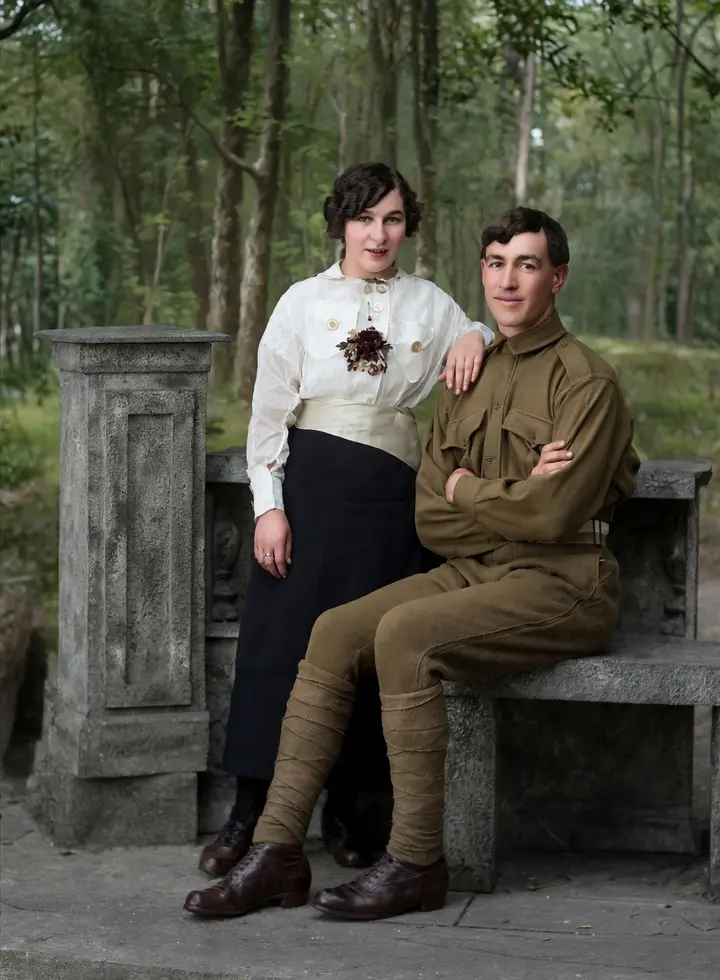
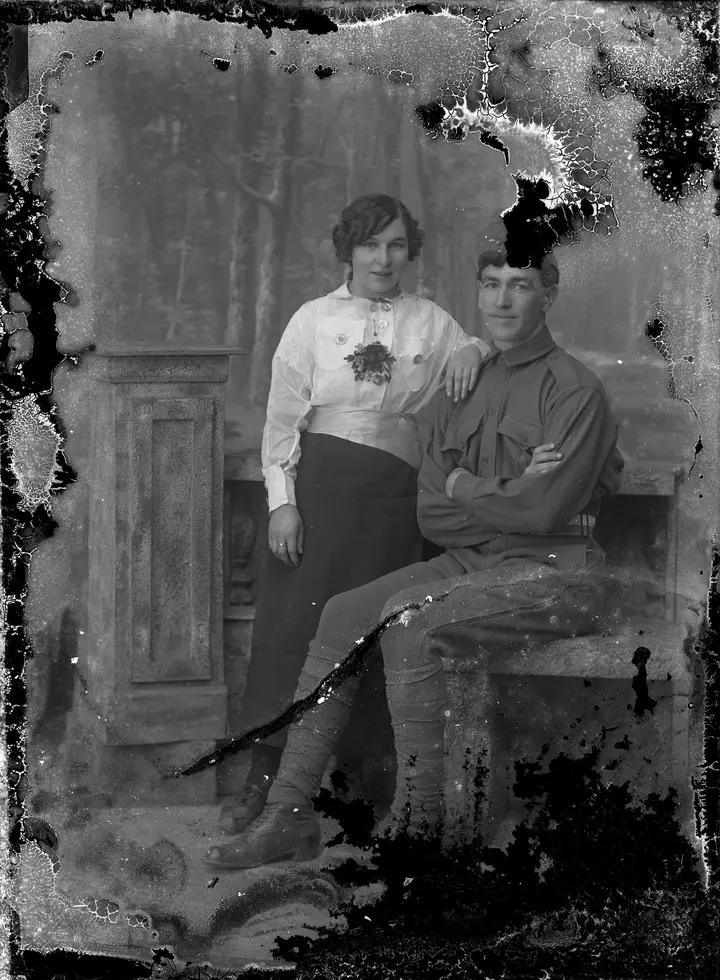
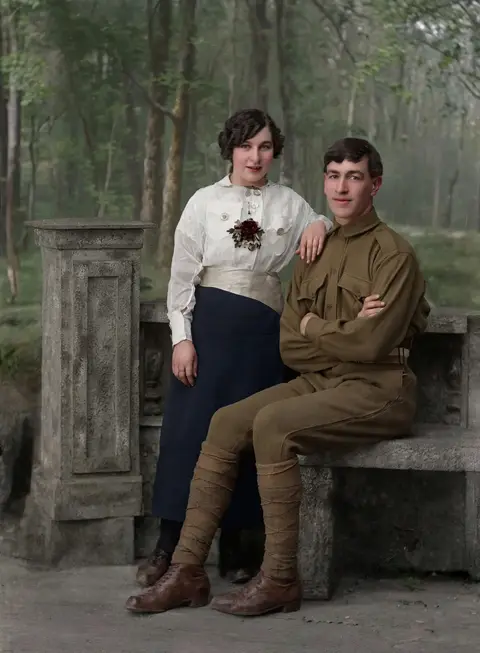
A soldier and a young woman posing on a stone bench, restored in real-life colorA soldier and a young woman posing on a stone bench, the damaged original

One photo, three ways

Keep it black and white, give it the warmth of an old print, or make it look like it was taken today.
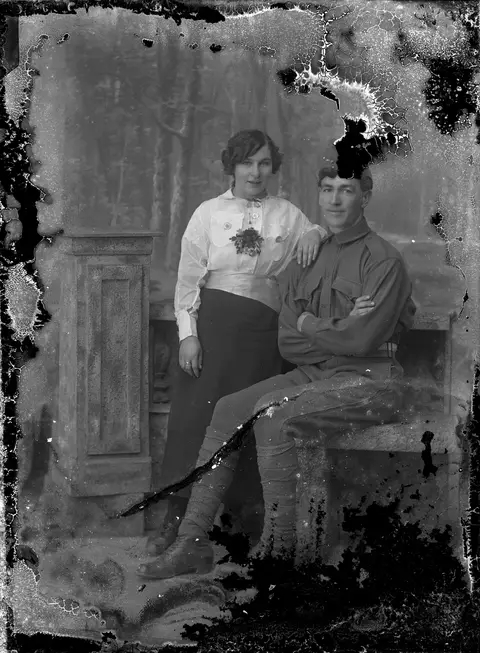
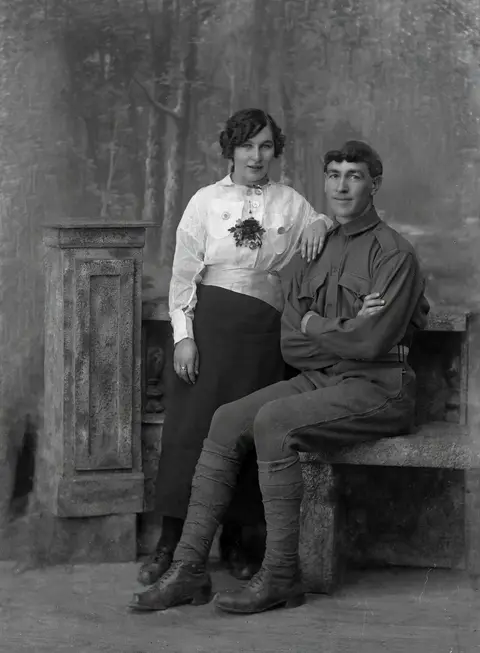
A soldier and a young woman on a stone bench: original
OriginalA glass plate with most of its emulsion flaking away.
A soldier and a young woman on a stone bench: restore
RestoreRepaired, and kept black and white.
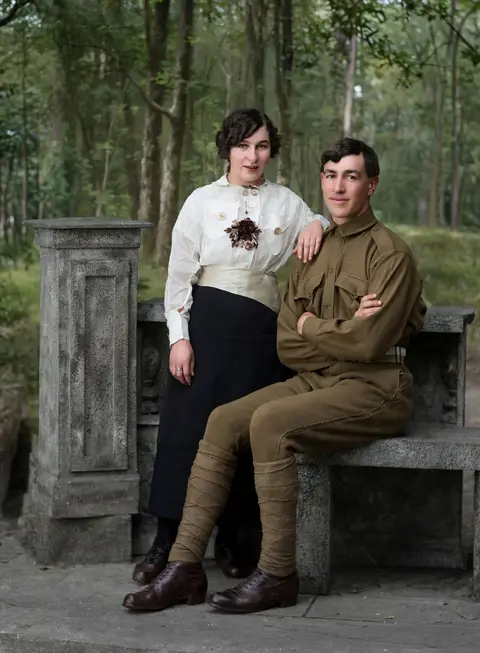
A soldier and a young woman on a stone bench: vintage color
Vintage colorSoft, period-true color with the old photo's warmth.
A soldier and a young woman on a stone bench: real-life color
Real-life colorClean, natural color, like a photo taken today.

Real restorations

Made with this tool from damaged public-domain photographs, as they came out. Drag to compare.

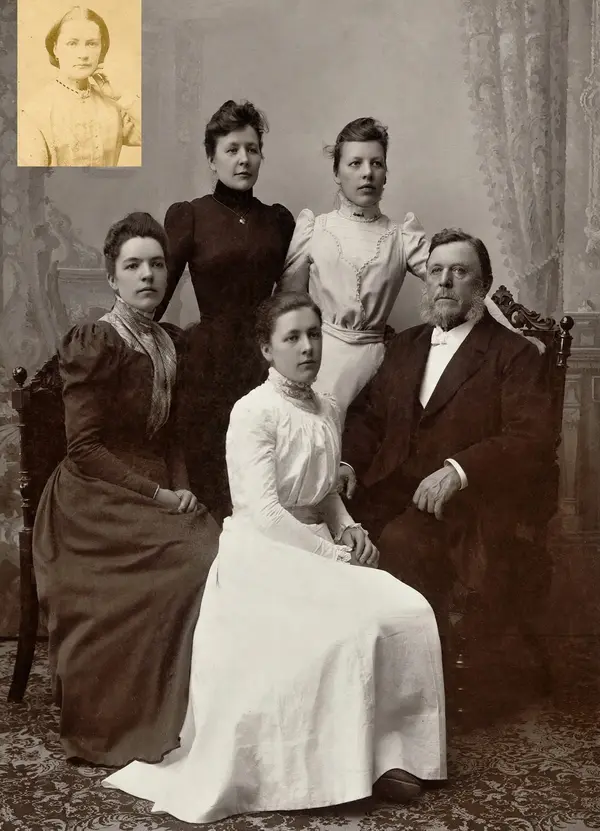
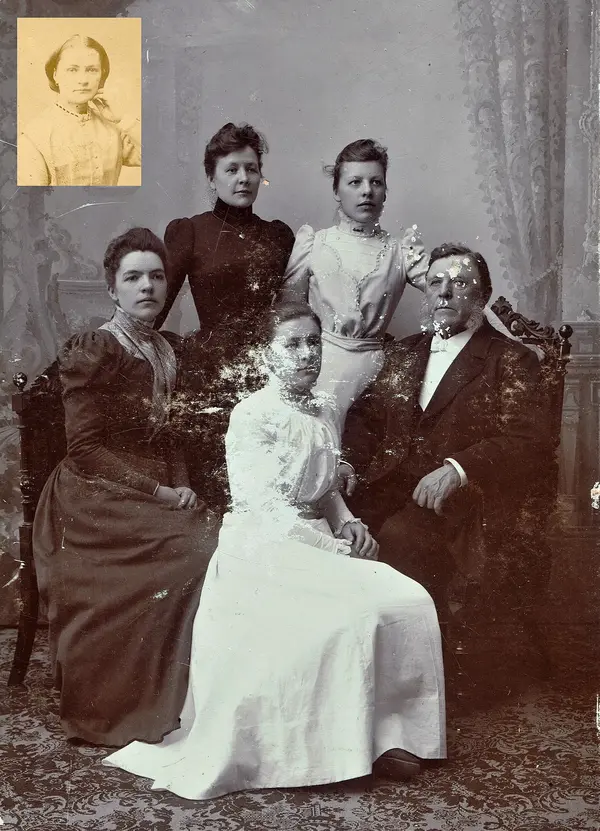
A family of five in a Victorian studio portrait, restoredA family of five in a Victorian studio portrait, the damaged original

A family portrait with a flaked face

The daughter in white had lost most of her face and dress. Every other face is kept as it was.

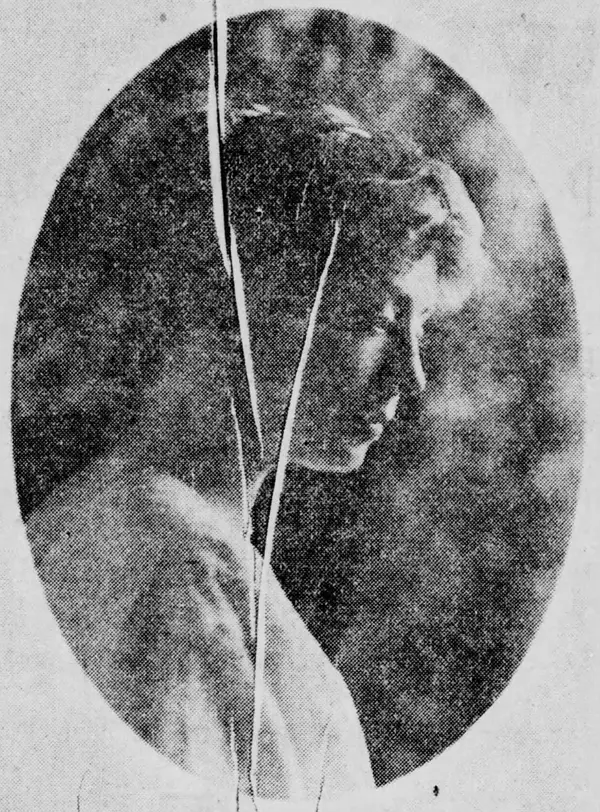
A young woman in profile in an oval frame, 1914, restored in real-life colorA young woman in profile in an oval frame, 1914, the damaged original

A cracked newspaper portrait, in real-life color

Cracks and printing dots repaired, the yellowed paper gone, and the color of a photo taken today.
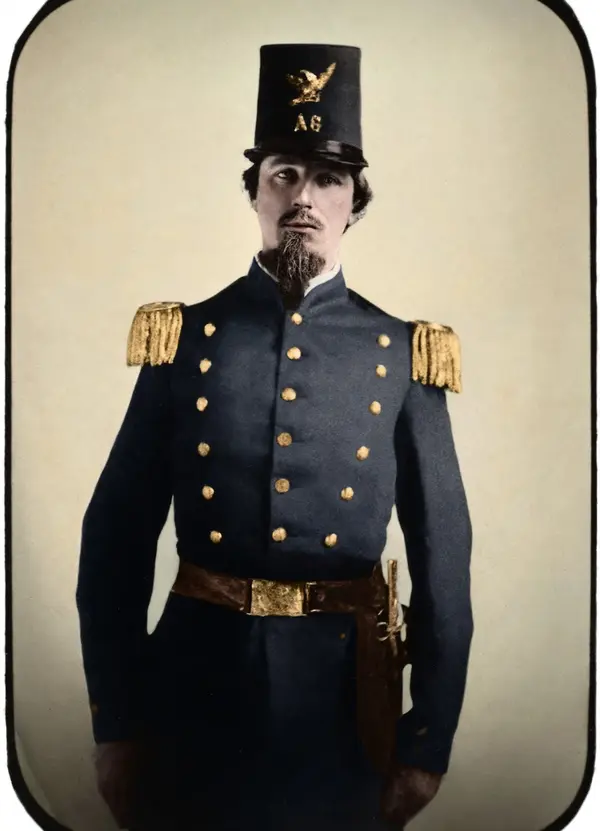
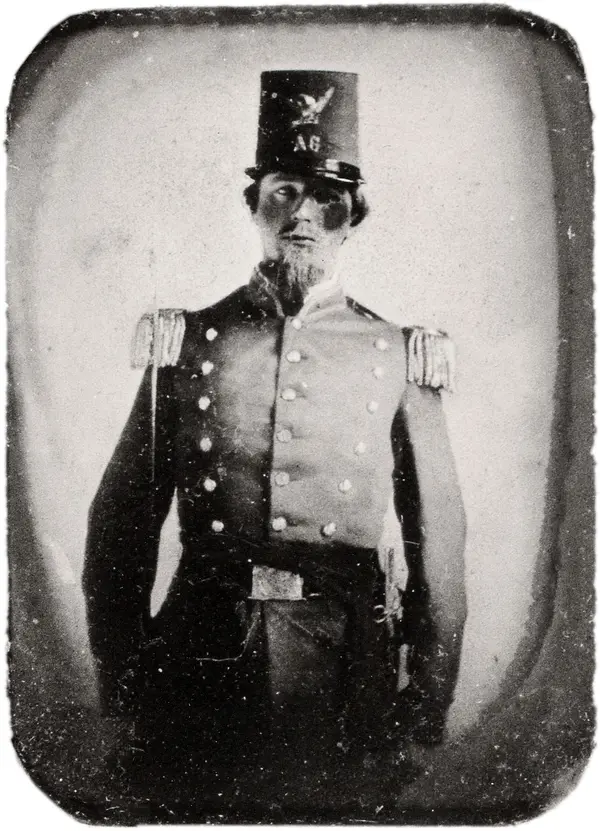
A soldier in a militia uniform and tall hat, restored with vintage colorA soldier in a militia uniform and tall hat, the damaged original

A spotted tintype from the 1860s, in vintage color

Spots cleaned up and the uniform colored, with the tintype's rounded border and old-photo feel kept.
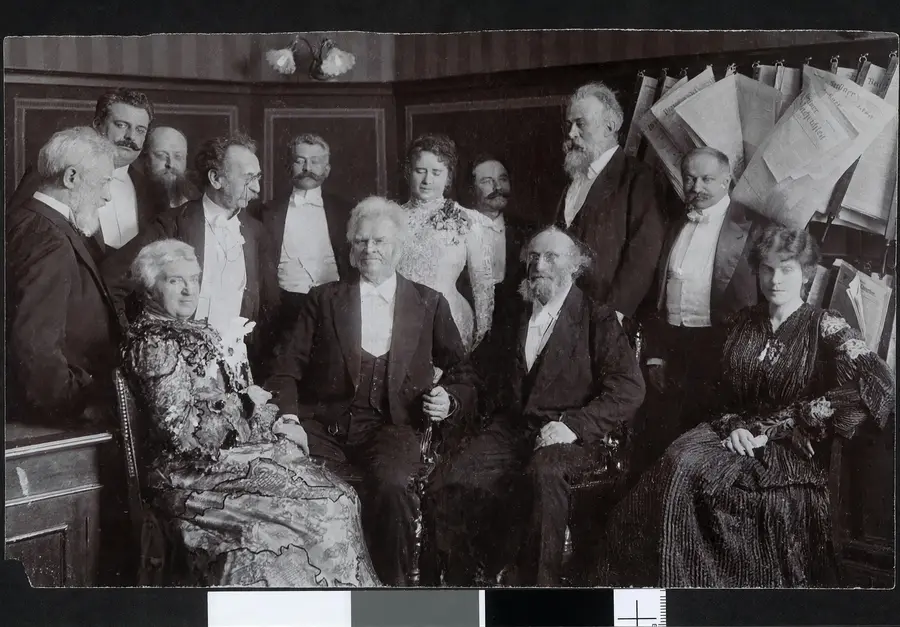
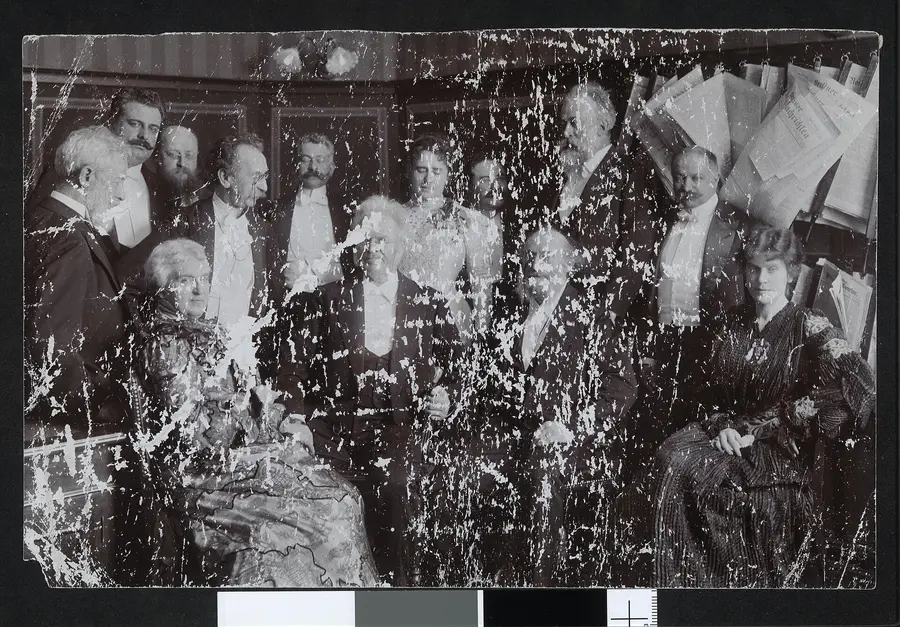
A formal group of men and women gathered in a room, restoredA formal group of men and women gathered in a room, the damaged original

A badly damaged group photo

Heavy scratches and missing pieces rebuilt across a room of people.

Originals from Wikimedia Commons, public domain: A soldier with a girl, Sofia Jansdotter Wallin family, Ada Stoddard, 1914, Dandridge McRae, Group with Bjørnstjerne Bjørnson.

How to restore an old photo

  1. 1
    Upload a scan or photo of it

    A JPG, PNG or WebP of the old print. A flat, evenly lit phone photo works too.

  2. 2
    Choose how to restore it

    Restore keeps it black and white. Vintage color adds soft, period-true color; real-life color makes it look like a photo taken today.

  3. 3
    Compare, then download

    Drag to compare before and after. It's saved to your Library, ready to download, edit or print.

What it does

Repairs real damageScratches, cracks, tears, spots, stains, fading and blur, even where pieces are missing.
Keeps them who they areFaces, expressions, hair and clothing stay as they were. No beauty filter, no new face.
Two kinds of colorVintage color keeps the old photo's tone and character. Real-life color looks like it was taken today. Never oversaturated.
Keeps the photo's characterThe framing, border, handwriting and fine film grain stay, so it still looks like the original.
Big enough to printRestored photos come out up to 1,920 pixels. The HD Upscaler (1 credit) takes them to 4K.
Also in the editorRestore any photo you open in the image editor, then crop it, retouch it or add text.

Questions people ask

How much does it cost?
2 credits per photo, about 2 cents, only when it works. New members get free credits to start, and more every day.
Will my grandparents still look like themselves?
That's what it's built for: it repairs the damage and keeps every face, expression and hairstyle. Where part of a face is completely missing, the AI has to rebuild it, so compare before and after, especially on badly damaged photos.
Are the colors accurate?
They're natural and believable, but a black and white photo doesn't record color, so the colors are a careful guess, not a historical record. If you know a dress was blue, keep the black and white version too.
Vintage color or real-life color?
Vintage color keeps the warm paper tone and soft colors of an old print, so it still looks like a family photo from its time. Real-life color removes the yellowing for the clean, natural color of a photo taken today. Real-life color changes the most, so on the oldest photos faces can look a little more modern; try both and compare.
What's the best way to digitize an old photo?
Scan it at 600 dpi if you can. Otherwise photograph it flat, in soft daylight, with no glare or shadow on it, and fill the frame with the print.
Is my photo kept private?
Your upload is used only to make the restored copy, which is saved privately in your Library. In the image editor, nothing is stored unless you save it.
Can I print the restored photo?
Yes. It comes out up to 1,920 pixels, about 6×4 inches at photo quality. For bigger prints, run it through the HD Upscaler for 1 credit.

Give an old photo a second life.

Restore it, compare it, and keep both.