What photos does an Etsy listing need? A shot-by-shot plan
The real item first, then details, scale, options and packaging, at 2000 px or more. The full shot list, Etsy's crop trap, and free tools to make each photo.
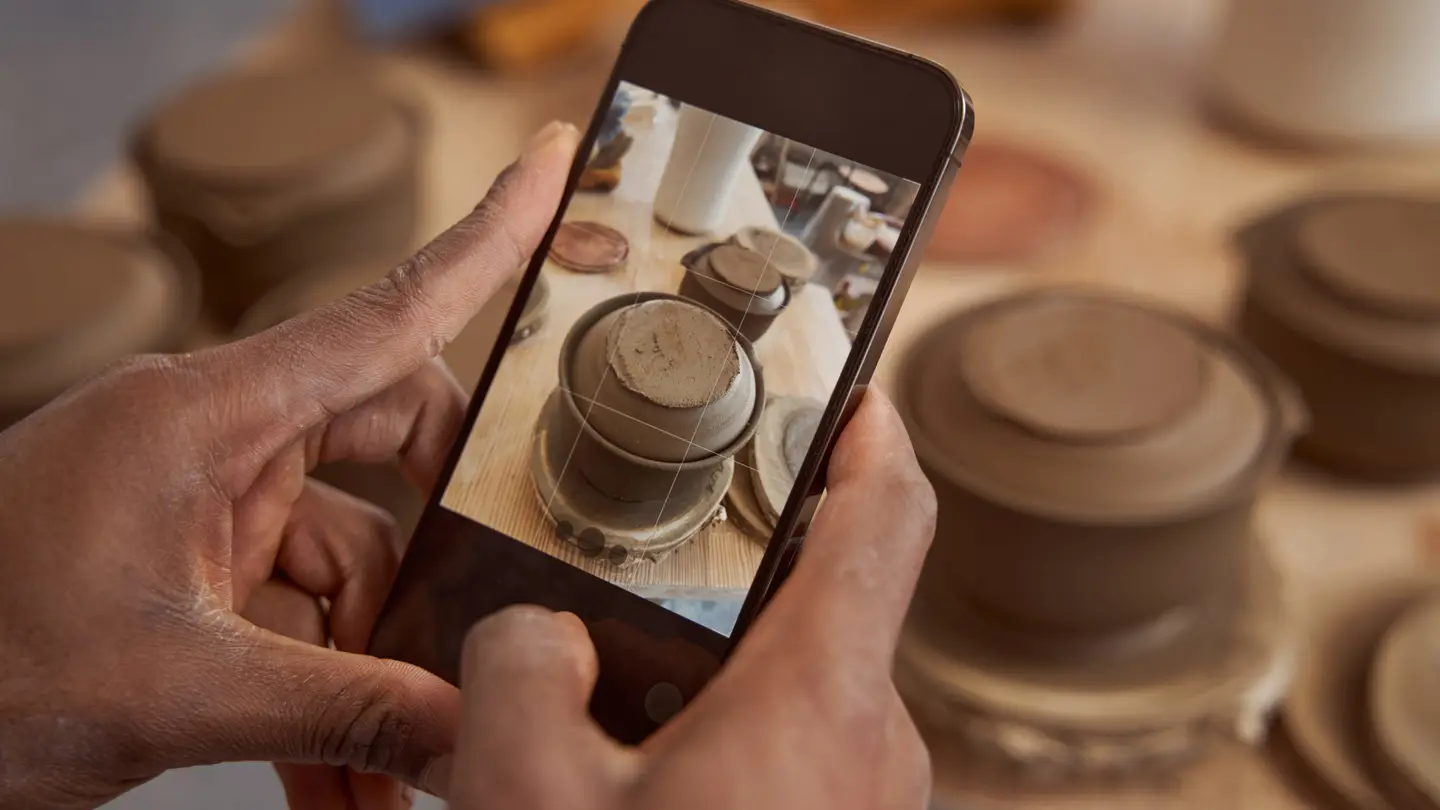
An Etsy listing needs a first photo of the real item on a clean background, then close-ups, a scale shot, every option you sell, and the packaging, all at 2000 pixels or more on the shortest side. Etsy allows up to 20 photos per listing, and the first one does the selling: it becomes your thumbnail in search.
This article gives you a shot-by-shot plan, the sizes that survive Etsy’s thumbnail crops, what Etsy’s rules say about mockups, stock and AI images, and how to make the whole set with free tools, plus the few paid steps and what they cost.
What size should Etsy listing photos be?
Etsy’s image requirements and best practices recommend at least 2000 pixels on the shortest side. The first photo should be at least 635 pixels wide and tall, or the listing may show up lower in search. Use JPG, PNG or GIF, and keep each file under 1 MB so uploads finish.
The detail that trips people up is the thumbnail. Etsy shows the same photo cropped to a square in some places, a portrait shape in others and a landscape shape elsewhere. If your item fills the frame edge to edge, one of those crops cuts it off.
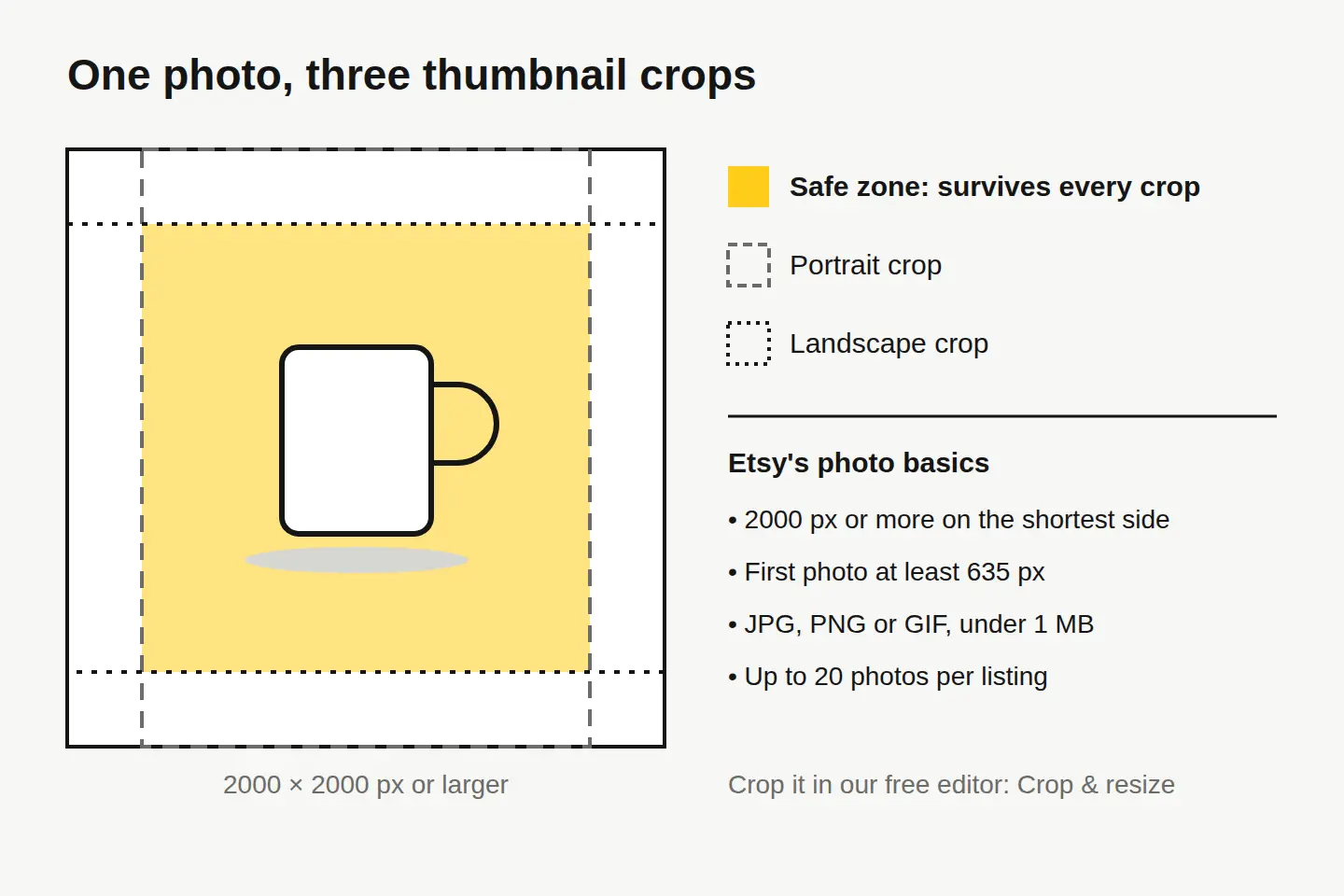
The fix is a border. Shoot or crop to a square of 2000 × 2000 px, and keep the item within roughly the middle three quarters of the frame. That middle area is what’s left after both a portrait and a landscape crop.
| Setting | Use this | Why |
|---|---|---|
| Size | 2000 × 2000 px (square) | Meets Etsy’s shortest-side advice and matches square thumbnails |
| Item placement | Centered, with a border on all four sides | Survives portrait and landscape crops |
| Format | JPG | Small files for photos; PNG only if you need transparency |
| File size | Under 1 MB | Etsy’s advice so uploads don’t fail |
| Count | 8 to 10 photos | Room for every shot below; Etsy allows up to 20 |
In our free editor, Crop & resize locks to a ratio and sets an exact pixel size, so you can set 2000 × 2000 once and reuse it. If an older photo is smaller than that, Quick Upscale 2× doubles it, free, in the same editor.
Which photos should an Etsy listing include?
Think of the photo set as the answers to a buyer’s questions, in the order they ask them: what is it, what’s it made of, how big is it, what are my options, and what arrives at my door?
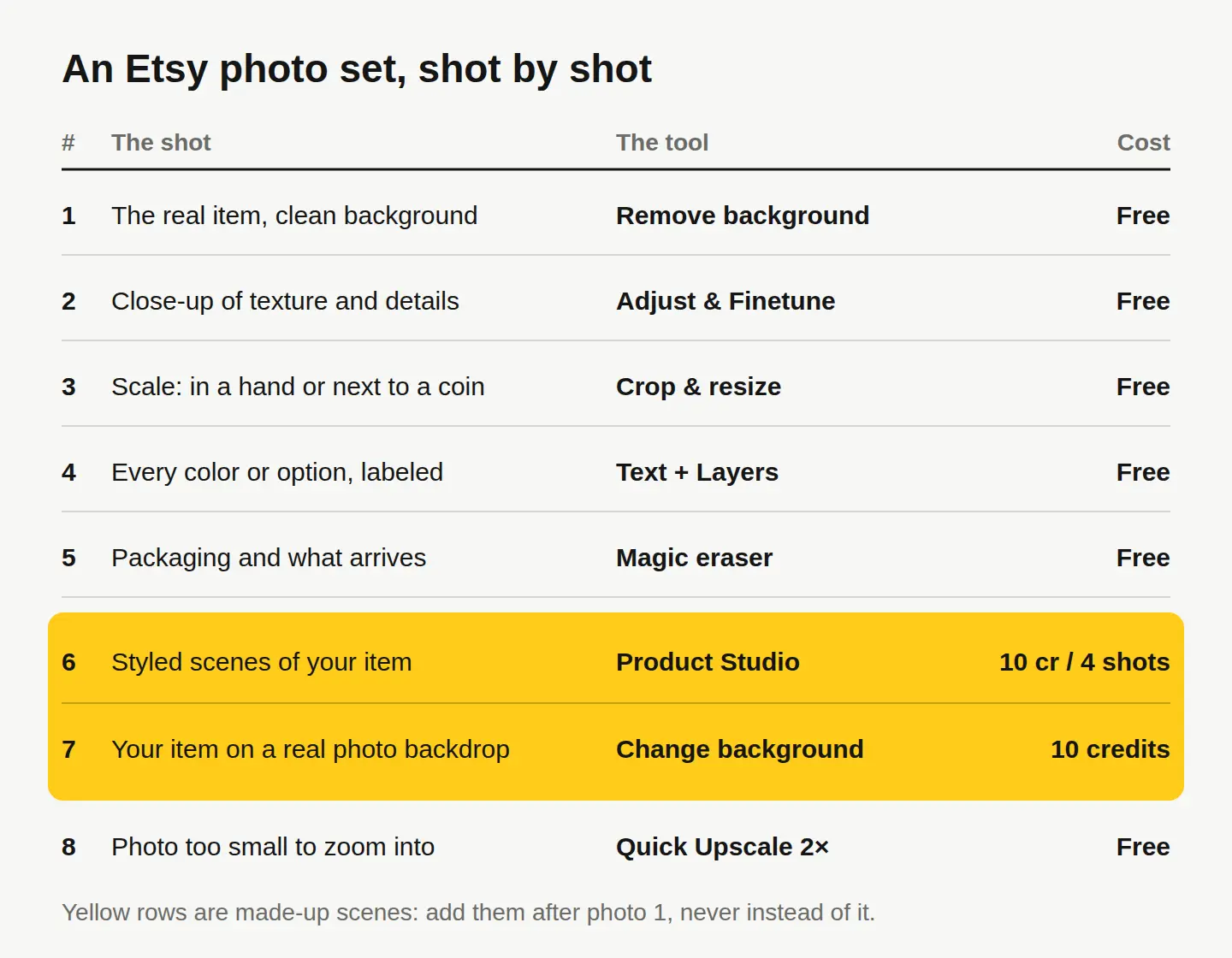
- The real item on a clean background. Your thumbnail. Plain white or a soft solid color, the item centered, nothing else competing.
- Close-ups of texture and details. The glaze, the stitching, the clasp. This is where handmade beats mass-produced, so show it.
- Scale. The item in a hand, on a table next to a mug, or beside a ruler. A photo answers the size question before a buyer has to message you.
- Every color or option you sell. Side by side, labeled with the exact option names from your listing.
- Packaging and what arrives. Especially for gifts. Buyers want to know if it comes ready to give.
- Styled scenes. The item in a home, on a shelf, in use. These are the ones that make someone picture owning it.
- The item on a new backdrop. A seasonal or lifestyle setting without reshooting.
- A zoomable version of any photo that came out small.
If you sell something worn, add an on-body shot. If you sell something personalized, add an example with real sample text.
Can you use mockups, stock photos or AI images on Etsy?
Partly, and the order matters. Etsy’s listing image requirements ask for photos of the actual item the buyer will receive, not renderings or stock photos, with a few exceptions. For example, a design printed onto a base item by a production partner can be shown with a mockup, and personalized items can use mockups in additional photos to show options, as long as the first image is the real thing.
For AI, Etsy’s Creativity Standards cover items made with AI and ask you to disclose that in the listing. Rules change, so read both pages before you list.
Here’s how that maps to what you can make with us:
- Stock photos (10 credits, $0.10 each) are real photos by real photographers, but they aren’t your item, so they don’t belong in a listing as the product. They’re fine for your shop banner, social posts and ads, where our license covers commercial use.
- Product Studio turns one phone photo of your product into 4 studio-quality shots in any of 33 scenes, for 10 credits. The item is yours, but the scene is generated. Use these as shots 6 and later, never as photo 1, and make sure the item looks exactly as it will arrive.
- Change background puts your product onto a real stock background and blends the light and shadows, for 10 credits. Same rule: an extra shot, not the first.
- Create makes AI images for 1 credit. It’s for things that aren’t your product: a banner texture, a blog header, a seasonal promo graphic. An AI image of an item you haven’t made yet is not a listing photo.
How do you make the first photo with free tools?
You need a phone, a window and about ten minutes. Everything below is free, with no watermark, in our browser photo editor.
- Shoot it. Put the item on a plain surface near a window, with the light coming from the side. Take the photo from a little farther back than feels natural, so you have a border to crop.
- Clean the background. Open the photo in our free background remover. It cuts the item out, and you can drop in white or a soft color. The photo never leaves your device.
- Fix the light. In the editor, Adjust & Finetune sets exposure, warmth and contrast. Keep colors true to the item: a warmer glaze than the real one is a returns problem, not a style.
- Remove dust and specks. Retouch for tiny flaws, Magic eraser for anything bigger that wandered into the frame.
- Crop to 2000 × 2000. Crop & resize, locked to 1:1, with the item inside the middle three quarters.
- Export as JPEG. Resize & export saves it; check the file is under 1 MB before you upload.
Repeat steps 3 to 6 for your detail, scale and packaging shots. For the options photo, put each variant on its own layer with Layers and add a short label with Text, so buyers match the photo to the option name.
What does a full Etsy photo set cost?
Shots 1 to 5 and shot 8 are free. Only the made-up scenes cost credits, and 1 credit is 1 cent.
| Step | Tool | Cost |
|---|---|---|
| Clean background, crop, light, dust | Remove background and the editor | Free |
| Double a small photo | Quick Upscale 2× | Free |
| Four styled scenes of your item | Product Studio | 10 credits for 4 shots |
| Your item on a real photo backdrop | Change background | 10 credits a blend |
| Up to 4× bigger, up to 4K, for print or big screens | HD Upscaler | 1 credit an image |
| A promo graphic that isn’t your product | Create | 1 credit an image |
You get 30 free credits when you sign up, with no card, then 3 free credits every day. That’s enough for three Product Studio sets, or one set plus two backdrops. If you run out, credits start at $1.49 for 100; the full list is on our pricing page.
Sellers who also make merch with stock photos should read what the stock license allows on merch before anything goes to print.
Your next step
Pick your best-selling listing and redo just photo 1 today: shoot it with a border, clean the background, crop to 2000 × 2000 and upload it. Then work down the shot list one listing at a time. When the listing photos are done, run your best one through the social media resizer to get Pinterest and Instagram versions in one zip.
Questions people ask
- Should the first Etsy photo have a white background?
- It doesn't have to be pure white, but a plain, uncluttered background keeps the item readable at thumbnail size. A soft solid color that suits your brand works too, as long as every listing uses the same one.
- Can I put text on my Etsy listing photos?
- Keep the first photo clean so the item is the whole thumbnail. Short labels work well on later photos, such as option names or dimensions, added with the Text tool in our free editor.
- Do I need to reshoot every photo for each color I sell?
- You need a true photo of each option buyers can choose, so the color they see is the color they get. One group shot of every option side by side, labeled, often covers it.
- Can I use the same photos on Pinterest and Instagram?
- Yes, they're your photos. The social media resizer turns one image into sizes for Instagram, Pinterest, Facebook and more in one zip, free.
Keep reading
 Photo editingHow to change the season in a photo with AIName the season, say what changes and what stays, and one AI edit turns summer into fall. A real before and after, the exact prompts and a season cheat sheet.
 Photo editingHow to remove unwanted objects from a photo, freeBrush over it with the free Magic eraser, or describe the change with Edit by prompt for 1 credit. Which tool fits which job, step by step, with a real example.
 AI image generationHow to write AI image prompts that get what you wantDescribe a photo, not a topic: style, subject, setting, light, color and camera. See one idea prompted two ways, with the real results and exact prompts.