What photos does a café or bakery need? Shot list and sizes
Your own photos for the menu and the shop, stock or AI images only for mood and backgrounds. The full shot list, sizes, and a month of images for 62 credits.
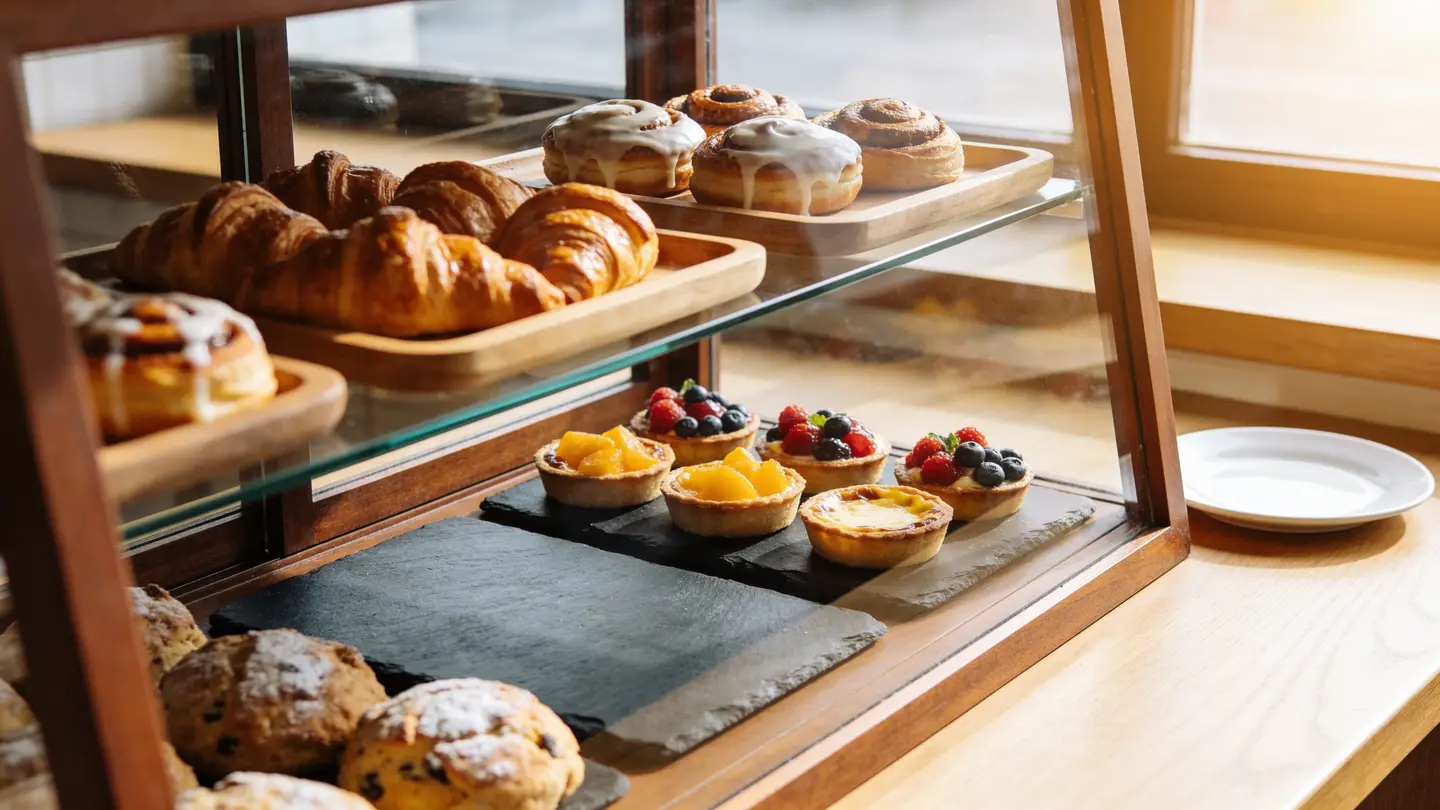
A café or bakery needs three kinds of images: true photos of what you actually sell, photos of the place itself, and a steady supply of mood and background images for posts about specials, hours and seasons. Your own phone photos cover the first two; stock photos and AI images can cover the third, as long as they never stand in for a product a customer will order.
This guide gives you the shot list, the sizes for Instagram, Google and delivery apps, the one rule that keeps you out of trouble, and a real example of each kind of image we made for this article, with what it cost.
Which photos does a café or bakery need?
Think of the photos as answers to what a new customer wants to know before they walk in: what’s good here, what does it look like inside, and is it open right now?
| Shot | What it’s for | Best source |
|---|---|---|
| Each menu item you sell | Menu boards, delivery apps, Google, the website | Your own photo, every time |
| Your bestsellers in a styled scene | Feed posts, ads, the website header | Your own photo, or Product Studio from it |
| The storefront from the street | Google Business Profile, so people recognize you | Your own photo |
| The counter, seating and display case | Google, “come work from here” posts | Your own photo |
| Coffee, beans, steam, hands-free table scenes | Mood posts, quotes, “Monday coffee” posts | Stock photo or AI image |
| Plain backgrounds with room for text | Specials, holiday hours, events, price changes | AI image or stock photo |
| Seasonal versions of a scene | October, holiday and spring posts | Edit by prompt on a photo you have |
The split matters. The top four rows are factual: they show what someone will get. The bottom three are decoration: they set a mood and carry your words. That’s the line between a photo you must take yourself and one you can license or generate.
Can a café use stock photos or AI images of food?
Yes, for mood and backgrounds, but not to show a dish as if it’s yours. If a customer orders the almond croissant from your menu, the photo next to it should be your almond croissant. A prettier croissant from somewhere else is a promise you can’t keep, and the first one-star review will say so.
Platforms push the same way. Google asks that Business Profile photos have no significant alterations or excessive filters, so they represent reality (Google’s Business Profile photo guidelines). Delivery apps review the photos you upload for each menu item, so check your app’s own spec before you shoot, for example Uber Eats’ menu photo guidance.
Here’s where stock and AI images are a good fit:
- A “coffee and a croissant, perfect for a gray day” post with no claim that the croissant is yours.
- Backgrounds for a “now open until 8” or “closed Monday for the holiday” post.
- Seasonal mood in the weeks before Halloween, Thanksgiving or the holidays.
When you use a licensed stock photo from our catalog, the license covers ads, social posts and printed menus, with print runs up to 500,000 copies, worldwide and with no expiry. Photos with recognizable people need a model release, which our search shows. AI images can be used commercially too, but they have no legal protection and may not be copyrightable in many countries. The details are on our license page.
What sizes do café photos need?
Shoot your own photos at full phone resolution and crop later. Each platform wants a different shape, and a big original crops cleanly to all of them.
| Where | Size | Notes |
|---|---|---|
| Instagram feed | 1080 × 1350 px (4:5) | The profile grid shows a 3:4 crop (Oktopost’s grid guide), so keep the subject centered |
| Stories and Reels covers | 1080 × 1920 px (9:16) | Leave the top and bottom clear of text |
| Google Business Profile | 720 × 720 px recommended, 250 × 250 px minimum | JPG or PNG, 10 KB to 5 MB, per Google |
| Delivery apps | Each app sets its own | Check the app’s spec; keep the dish centered and whole |
| Printed menus and posters | Your original, full size | If it’s too small, the HD Upscaler goes up to 4× and 4K for 1 credit |
You don’t need to crop each one by hand. The free social media resizer turns one design into sizes for Instagram, Facebook, X, LinkedIn, Pinterest, YouTube, TikTok and A4, in one zip.
How do you make a background for a specials post?
Use an image with a plain area where your text will go. We made this one with Create, our AI image generator, for 1 credit. It is an AI image, not a photo of a real café:
A photoreal close-up of an empty rustic wooden café counter in the foreground, with a softly blurred coffee shop interior behind it, warm morning light from a window on the right, a few roasted coffee beans scattered near the right edge, and a large plain uncluttered area of wood and soft background on the left half of the frame, shallow depth of field, no people
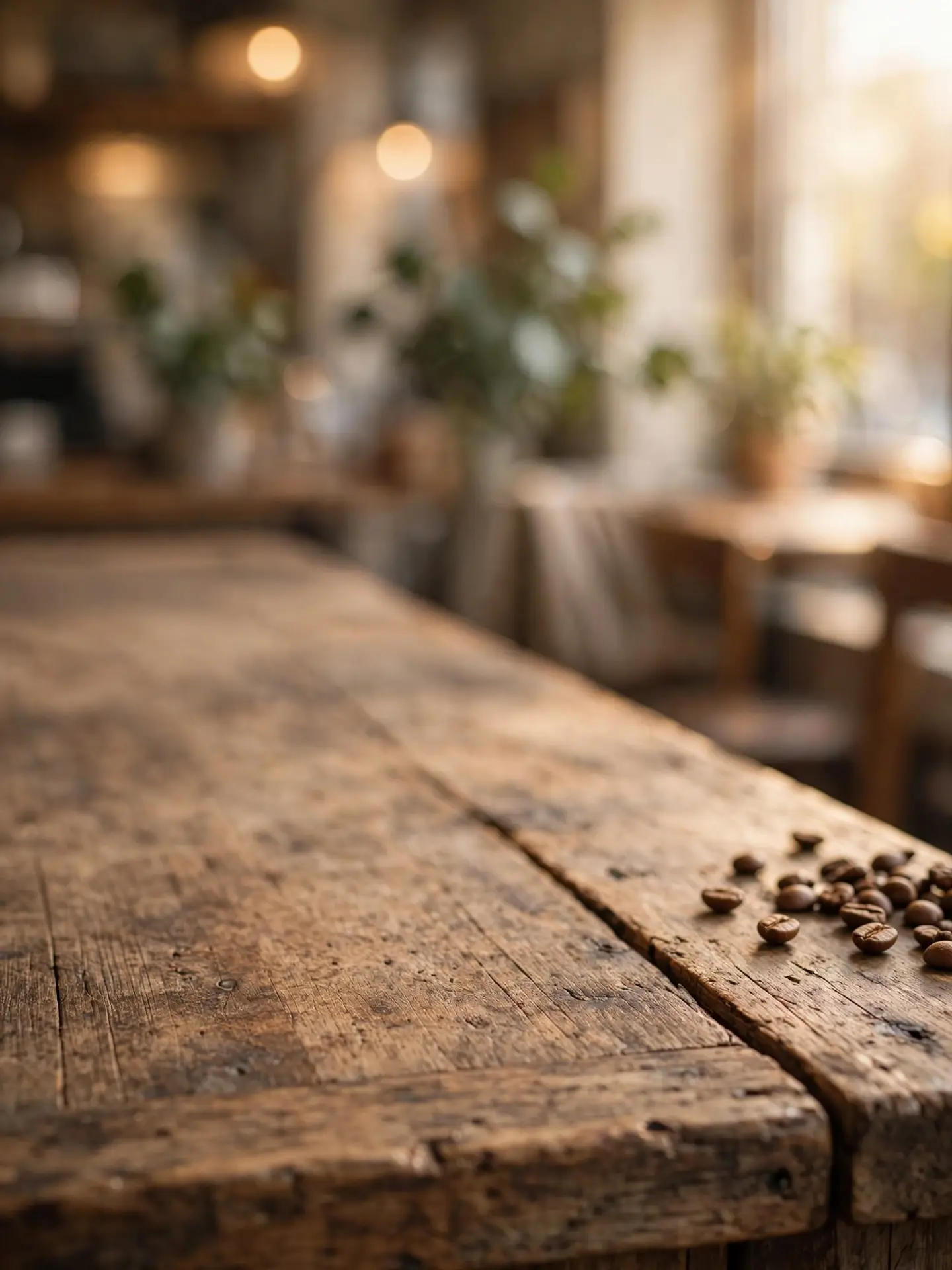
The counter and the blurred wall give you two calm areas for text: a headline up top (“Pumpkin bread is back”) and the details on the wood below. Then:
- Open it in the free photo editor and set Crop & resize to 1080 × 1350 for the feed.
- Add your headline with Text. Turn on the color box behind the text if the background is busy, and use the eyedropper to pick a text color from the picture.
- Add the price or the day in a second, smaller line.
- Export with Resize & export, or send it through the resizer for a Story version too.
Because the background is generic, you can reuse it all year: swap the headline and you have a new post. For more on keeping text legible, see how to make text readable on a photo.
How do you make a seasonal post from a photo you already have?
Add a few props with Edit by prompt instead of restyling a whole table. Here’s a licensed stock photo from our catalog, as it came:
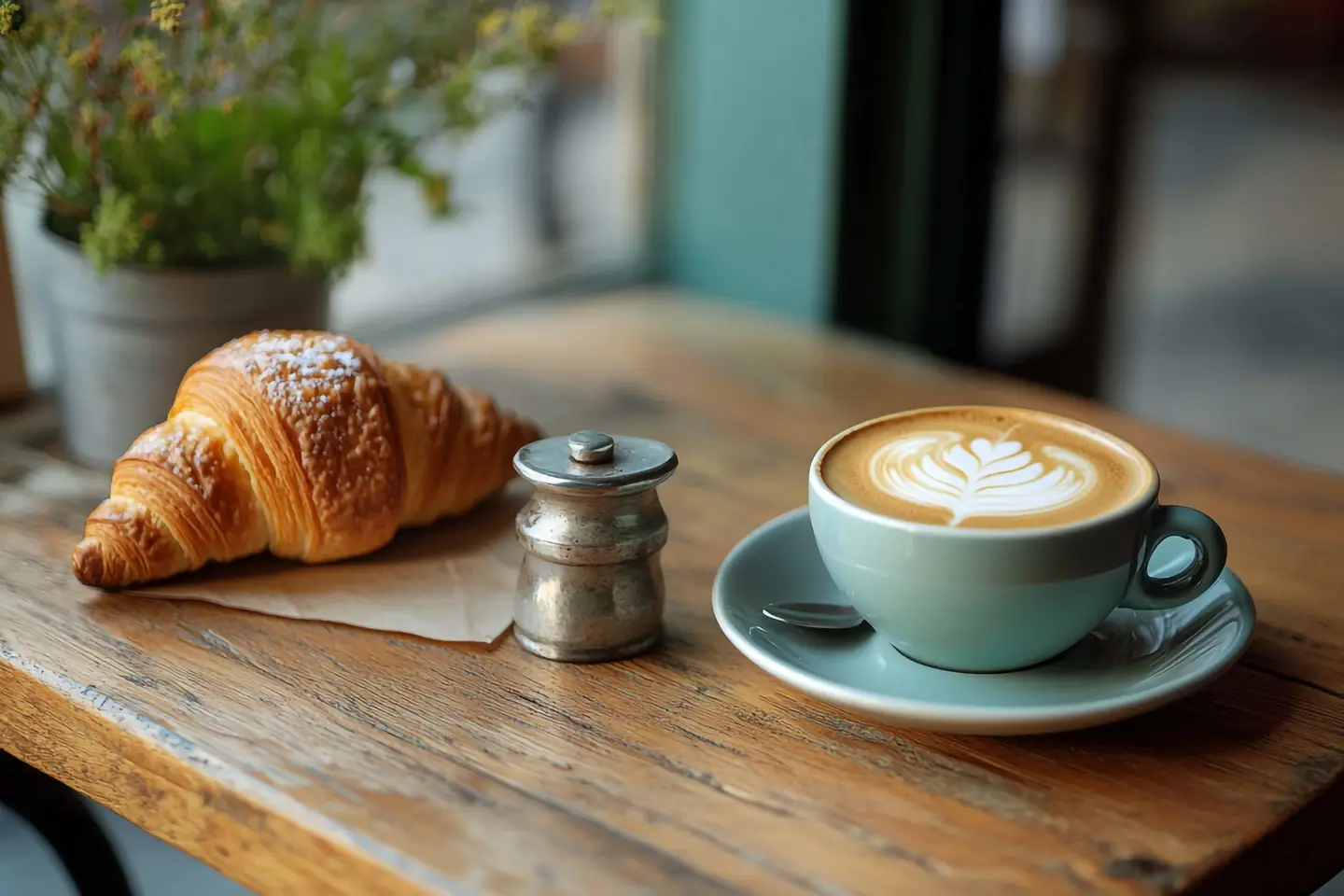
We gave Edit by prompt this instruction:
Add two small orange decorative pumpkins and a few dry autumn leaves on the wooden table, behind and to the left of the cup. Keep the croissant, the cup and saucer, the latte art, the sugar shaker, the table and the camera angle exactly as they are.
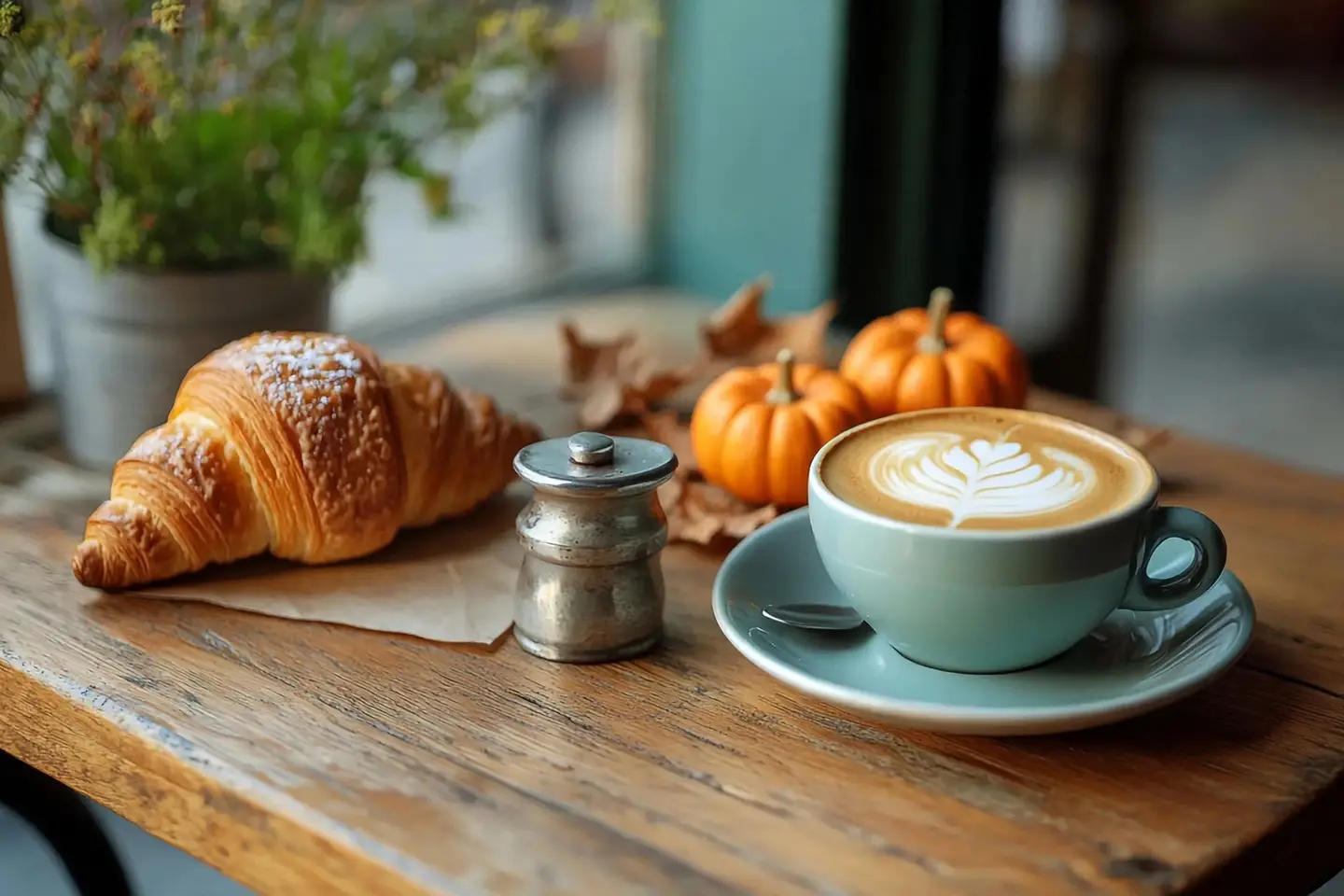
The croissant, the cup and even the latte pattern stayed the same; only the props were added. That’s the trick: name what to add, say where, and list what must stay. It works on your own photos too, as long as the product itself isn’t changed. Editing doesn’t change the license on a stock photo, though the legal protection of up to $5,000 covers the original photo only. If you’d rather change the whole season, see how to change the season in a photo with AI.
What does a month of café images cost?
Less than a single coffee. Here’s an example plan for about four posts a week, using real prices:
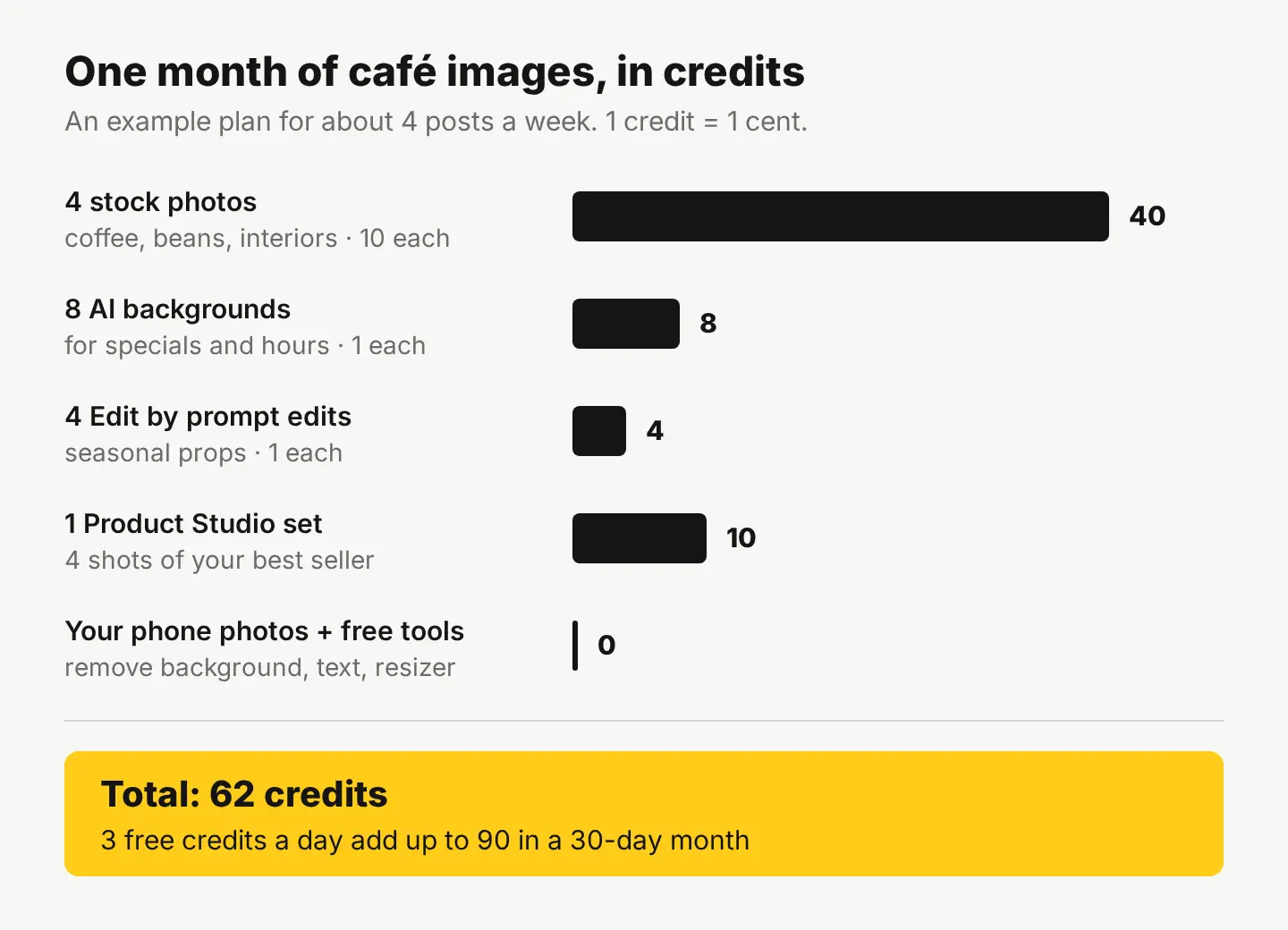
The one paid step that works on your own products is Product Studio: upload one phone photo of your bestseller, like a whole loaf or a box of macarons, and get 4 studio-quality shots in any of 33 scenes, including kitchen, lifestyle and occasion settings, for 10 credits. Because it starts from your real product, it’s a fair way to get a styled photo of something you actually sell. Start at Product Studio.
Everything else in the plan is free: Remove background for a clean cut-out of a cake, Text and WordArt for headlines, and the resizer for every platform. New accounts get 30 free credits on sign-up with no card, then 3 free credits every day; if you need more, the Monthly plan is $4.99 for 500 credits (see pricing).
Your next step
This week, take one photo of every item on your menu, in the same spot, by the same window, at the same time of day. That set does more for Google, delivery apps and your menu board than anything else on this list. Then make one background in Create for your next specials post, and you have the system for the month.
Questions people ask
- Should a bakery hire a food photographer?
- It helps for a website launch or a printed menu, but most day-to-day posts work with a phone, a window and the same spot every time. Consistent light and angles matter more than expensive gear.
- Can I post customers' photos of my café?
- Ask first and credit them. A customer owns the photo they took, so get their permission before you repost it, especially for ads.
- Can I use a stock photo of coffee on my printed menu?
- Yes, as decoration, like a header or a background. Our license covers printed menus with print runs up to 500,000 copies. Just don't place it next to a menu item as if it shows that exact drink.
- How do I keep my café's photos looking consistent?
- Shoot in the same spot, at the same time of day, on the same surface. Then use the same filter from the editor's Filters on every photo so the feed looks like one shop.
Keep reading
 By industryWhat photos does an Etsy listing need? A shot-by-shot planThe real item first, then details, scale, options and packaging, at 2000 px or more. The full shot list, Etsy's crop trap, and free tools to make each photo.
 AI image generationHow to make Halloween images with AI for your businessPick a mood, describe the scene and props, and leave room for your text. Two real examples with exact prompts, plus a stock photo decorated for Halloween with AI.
 DesignHow to make text readable on a photo: 4 fixes comparedGive the words a calm, high-contrast spot: a dark gradient, a color box, or a cleared area. We tested all four on one busy photo, with contrast numbers.