How to resize an image for Instagram without cropping
Most photos fit Instagram whole: export them 1080 px wide at their own shape. Exact sizes, what each crop cuts, and fixes for shapes that don't fit.
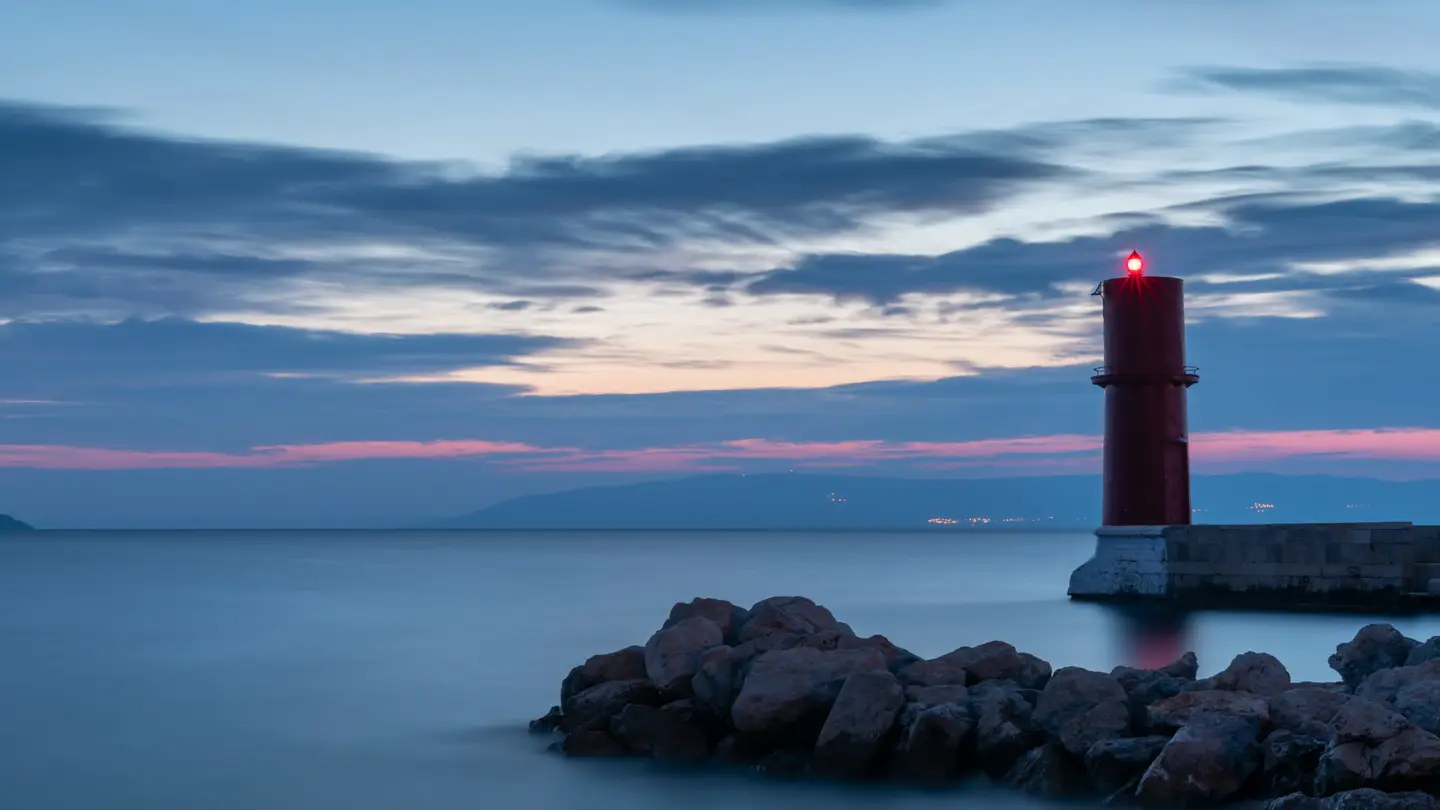
To resize an image for Instagram without cropping, keep its shape and make it 1080 pixels wide: any photo between 1.91:1 (wide) and 4:5 (tall) posts whole, so a 3:2 landscape goes up as 1080 × 720 with nothing cut. Only shapes outside that range, like 9:16 screenshots and panoramas, need a crop, a border or a different format.
This guide shows which of your photos already fit, the exact sizes to export, how much a crop really costs for each shape, and what to do with the ones that don’t fit. The worked example is a real stock photo from our catalog, cropped three ways.
What sizes does Instagram accept without cropping?
Instagram’s Help Center says a feed photo keeps its full shape when its aspect ratio is between 1.91:1 and 4:5, which at a width of 1080 pixels means a height between 566 and 1350 pixels (Instagram Help Center). Photos wider than 1080 pixels are sized down to 1080, and anything outside the ratio range is cropped to fit.
Since the 2025 profile redesign, the app also takes taller 3:4 photos (1080 × 1440). If yours is 3:4 and the app still trims it, 4:5 is the safe fallback.
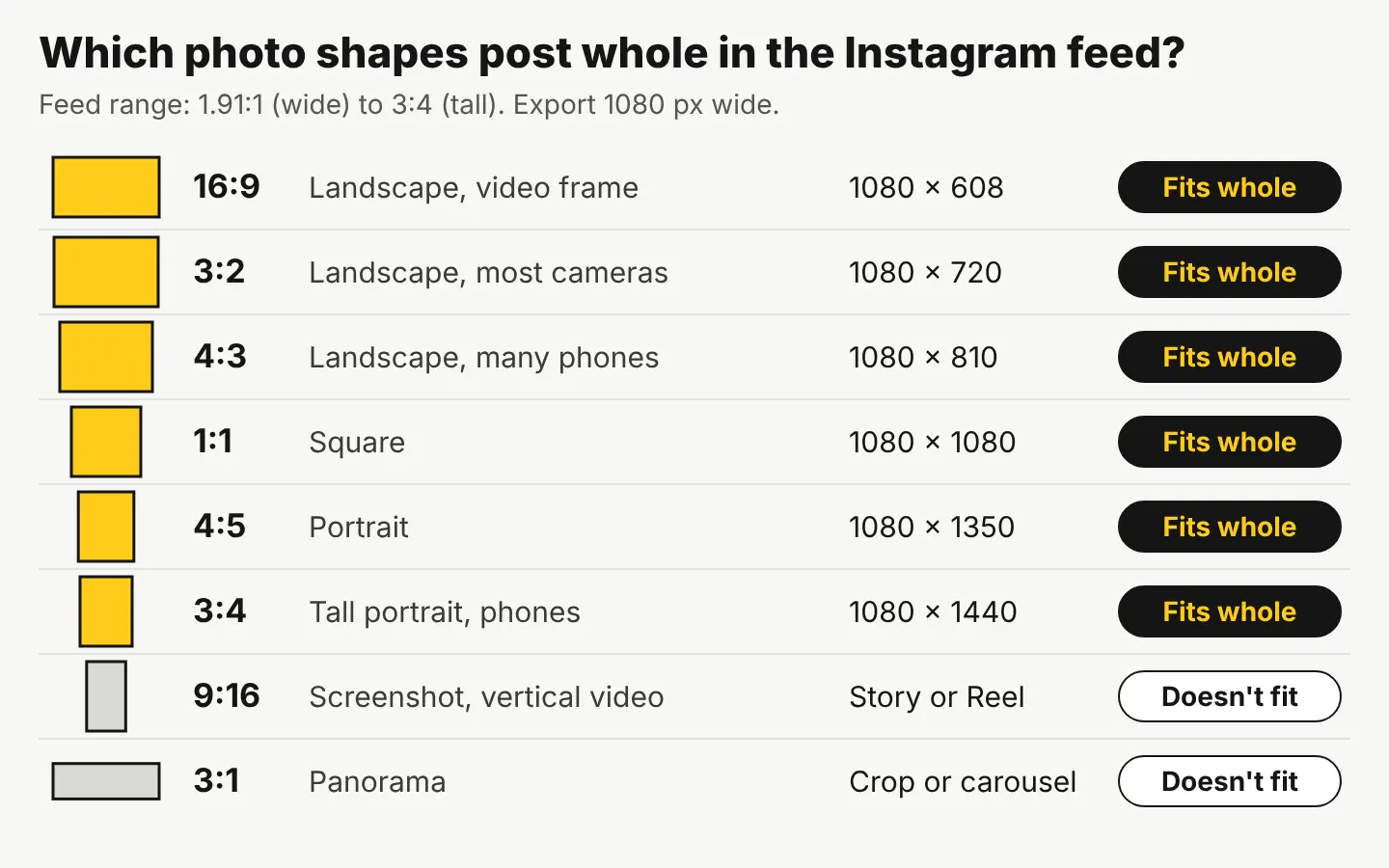
Here is the size to export for each format:
| Format | Shape | Export size (pixels) |
|---|---|---|
| Landscape post | 1.91:1 at the widest | 1080 × 566 |
| Square post | 1:1 | 1080 × 1080 |
| Portrait post | 4:5 | 1080 × 1350 |
| Tall portrait post | 3:4 | 1080 × 1440 |
| Story or Reel | 9:16 | 1080 × 1920 |
| Your own shape (in range) | anything from 1.91:1 to 4:5 | 1080 wide, height to match |
The last row is the one most guides skip. You don’t have to force a photo into one of three boxes. A 3:2 photo is 1080 × 720, a 4:3 photo is 1080 × 810, and a 16:9 photo is 1080 × 608. All three post whole.
How to post a full photo on Instagram without cropping
- Check the shape. Divide the width by the height. Anything from 0.8 (4:5) up to 1.91 fits the feed as it is. A 3:4 photo (0.75) fits in the current app.
- Resize to 1080 wide, keeping the shape. In our free photo editor, open the photo, choose Resize & export, and set an exact size of 1080 wide with the matching height (1080 × 720 for a 3:2 photo, from the table above). Save as JPEG.
- If the photo is under 1080 wide, run Quick Upscale 2× in the editor first, free, so Instagram doesn’t stretch it. For a big jump or a print-size file, the HD Upscaler goes up to 4× for 1 credit.
- In the Instagram app, tap the fit button. On the crop screen, the two-arrow icon in the bottom-left corner switches from the square preview to the photo’s full shape. If you skip this, it posts as a square.
- Check the grid preview. Your profile shows every post as a tall 3:4 thumbnail, so a landscape post looks cropped on your profile even when the post itself is whole. Keep the subject near the middle, or adjust the thumbnail when you post.
How much does a crop cut from each shape?
When a shape doesn’t fit, or you want the taller 4:5 format for more space in the feed, you have to give something up. This is the math for the common shapes, so you can see the cost before you crop:
| Your photo | Fits the feed whole? | If you crop it to 4:5 | If you crop it to 1:1 |
|---|---|---|---|
| 16:9 landscape (video frames, many screenshots) | Yes, 1080 × 608 | 55% of the width is cut | 44% of the width is cut |
| 3:2 landscape (most cameras) | Yes, 1080 × 720 | 47% of the width is cut | 33% of the width is cut |
| 4:3 landscape (many phones) | Yes, 1080 × 810 | 40% of the width is cut | 25% of the width is cut |
| 3:4 portrait (many phones, held upright) | Yes, 1080 × 1440 | 6% of the height is cut | 25% of the height is cut |
| 9:16 vertical (phone screenshots) | No | 30% of the height is cut | 44% of the height is cut |
| 3:1 panorama | No | 73% of the width is cut | 67% of the width is cut |
The pattern: the wider your photo, the more a tall crop throws away. A 3:2 landscape forced into 4:5 loses almost half the picture. That is why posting landscapes at their own shape is usually the better call, even though they take up less room in the feed.
Where the crop lands matters more than the size
A centered crop is what most apps do by default, and it’s often the wrong one. Here’s a licensed photo from our stock catalog, a red lighthouse on the Croatian coast, cropped three ways. The photo itself isn’t changed, only the frame.
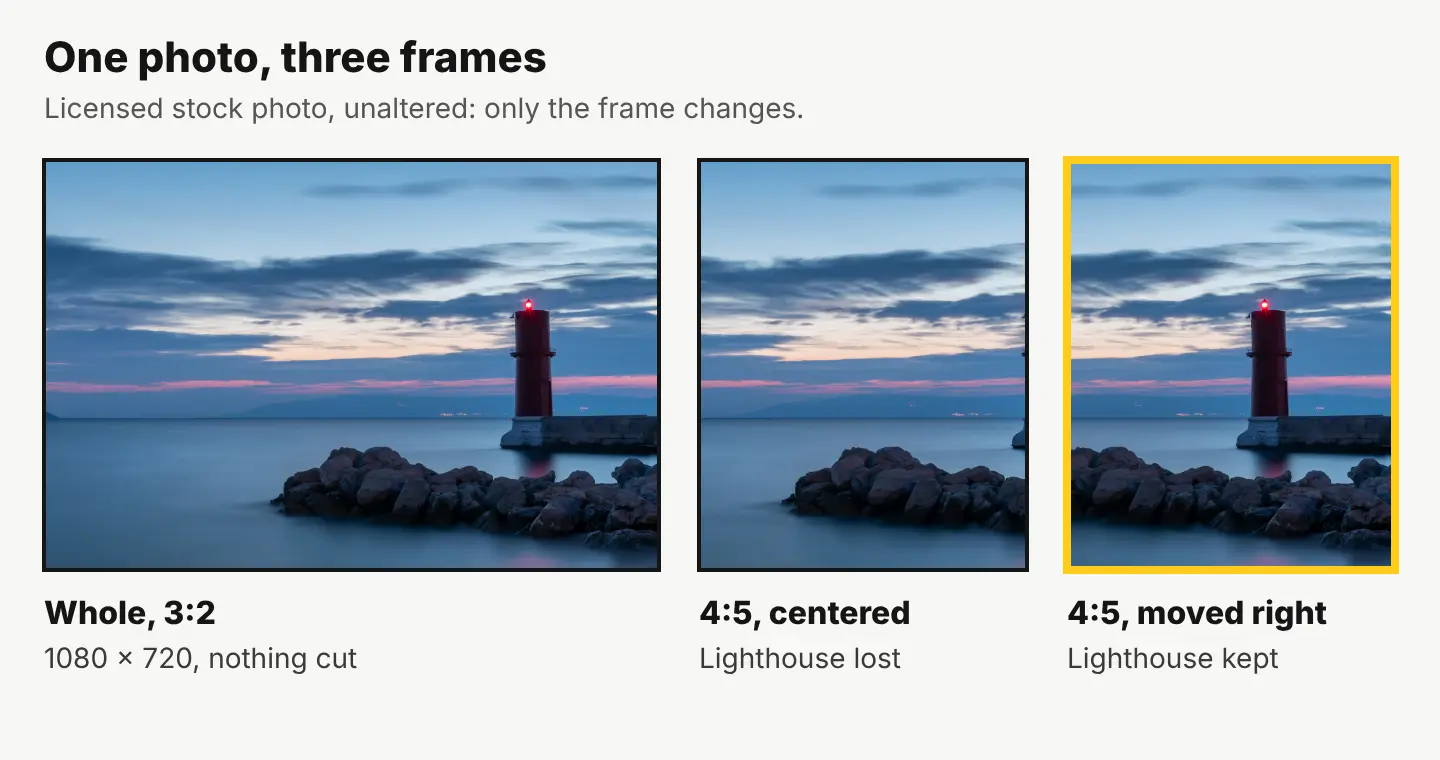
The lighthouse sits near the right edge, so a centered 4:5 crop cuts it out, leaving sea, sky and a sliver of the pier. Sliding the same 4:5 frame to the right keeps it. In the editor, Crop & resize locked to 4:5 lets you drag the frame where you want it before you export at 1080 × 1350.
If you’d rather not crop at all, post this one whole at 1080 × 720.
What to do with photos that don’t fit
Tall 9:16 photos and screenshots
Post them as a Story or a Reel, where 1080 × 1920 fills the screen. For the feed, crop to 3:4 (you lose a quarter of the height) or add a border.
Panoramas
A 3:1 panorama splits into a carousel of three 1080 × 1080 squares with nothing lost: resize it to 3240 × 1080, then crop three 1080-pixel squares side by side with Crop & resize at an exact pixel size. Swiping through shows the full view. Keep every slide the same shape, because the app crops all slides in a carousel to the shape of the first one.
Borders and padding
Placing the photo on a taller background (a solid color or a blurred copy of itself) keeps the whole image in a 4:5 frame. It works for screenshots and graphics. For photos it shrinks the picture, so posting at the photo’s own shape usually looks better.
Text on the image
If the post has a headline, place it where the 3:4 grid thumbnail won’t cut it off. Our guide to making text readable on a photo covers the contrast side.
Sizing one image for every platform
Instagram is rarely the only place a post goes. Once the Instagram version is right, the free social media resizer exports one design for Instagram, Facebook, X, LinkedIn, Pinterest, YouTube, TikTok and A4 in one zip. Each platform has its own shape, so open each file and check that nothing important was trimmed, the same way you checked the lighthouse.
If you need a photo to post in the first place, stock photos in our catalog cost 10 credits ($0.10) each, and sign-up gives you 20 free credits, no card.
Your next step: pick the last photo Instagram cropped on you, divide its width by its height, and if the number is between 0.75 and 1.91, export it at 1080 wide and post it whole.
Questions people ask
- Does Instagram lower the quality of my photos?
- Instagram sizes anything wider than 1080 pixels down to 1080, and smaller than 320 pixels up to 320. Exporting at exactly 1080 wide yourself means you choose how the photo is resized instead of the app.
- Why does my photo look cropped on my profile but not in the post?
- The profile grid shows every post as a tall 3:4 thumbnail. The post itself keeps its full shape when someone opens it.
- Can I post a landscape photo in a carousel with portrait photos?
- Not without cropping. The app crops every slide to the shape of the first one, so put photos of the same shape together, or crop them all to one shape before you post.
- What resolution should an Instagram photo be?
- 1080 pixels wide. The height follows the shape: 1080 for a square, 1350 for 4:5, 1440 for 3:4 and 1920 for a Story or Reel.
Keep reading
 Photo editingHow to restore old photos: scan, repair and colorizeScan the print, let AI repair scratches, cracks and fading, then touch up by hand. Step by step, with scanning tips and real costs: 2 cents a photo.
 Photo editingHow to change the background of a photo: 3 ways comparedCut it out for free, blend it into a real scene, or describe a new one with AI. A real before and after, costs side by side, and iPhone tips.
 Photo editingHow to remove a white background from an image, freeCut out the subject with a free background remover and save it as a PNG. Steps, the white-halo fix, and a real background swap example.