AI fashion model: put your own clothes on a model, step by step
An AI fashion model wears your real garment from one flat-lay photo. See how it works, the photo checklist, which shots you still need and the cost.
An AI fashion model is a computer-generated person shown wearing your clothes, made from a photo of the garment instead of a photoshoot. For AI model fashion photos that sell, you start with one clean flat-lay photo of the real piece, then pick a model, a pose and a scene, and check every result against the garment before you post it.
This guide covers what an AI image generator can and can’t do for clothing, how to put your own garment on a model step by step, the flat-lay photo that gets the best results, which shots a listing still needs, and what it all costs.
What is an AI fashion model, and how does it work?
There are two different things people mean by “AI model”:
- A model from a prompt. You describe a person and an outfit in words, and an image generator invents both. It looks like a fashion photo, but the clothes are made up.
- Your garment on a model. You upload a photo of a piece you actually sell, and the tool dresses a generated model in it, keeping its color, pattern and cut as closely as it can.
Only the second one belongs on a product page. The first is useful for mood boards, ad concepts and lookbook ideas, as long as you never sell a garment from it.
Can you just ask an AI image generator for a model?
You can, and it’s a fast way to try a look. We typed this into Create, our AI image generator, at 1 credit:
A photoreal lookbook photo of a fictional adult model standing at a winter holiday market, wearing a chunky cream cable-knit turtleneck sweater, dark straight-leg jeans and brown ankle boots, hands in jeans pockets, warm string lights blurred behind, soft overcast daylight, full body
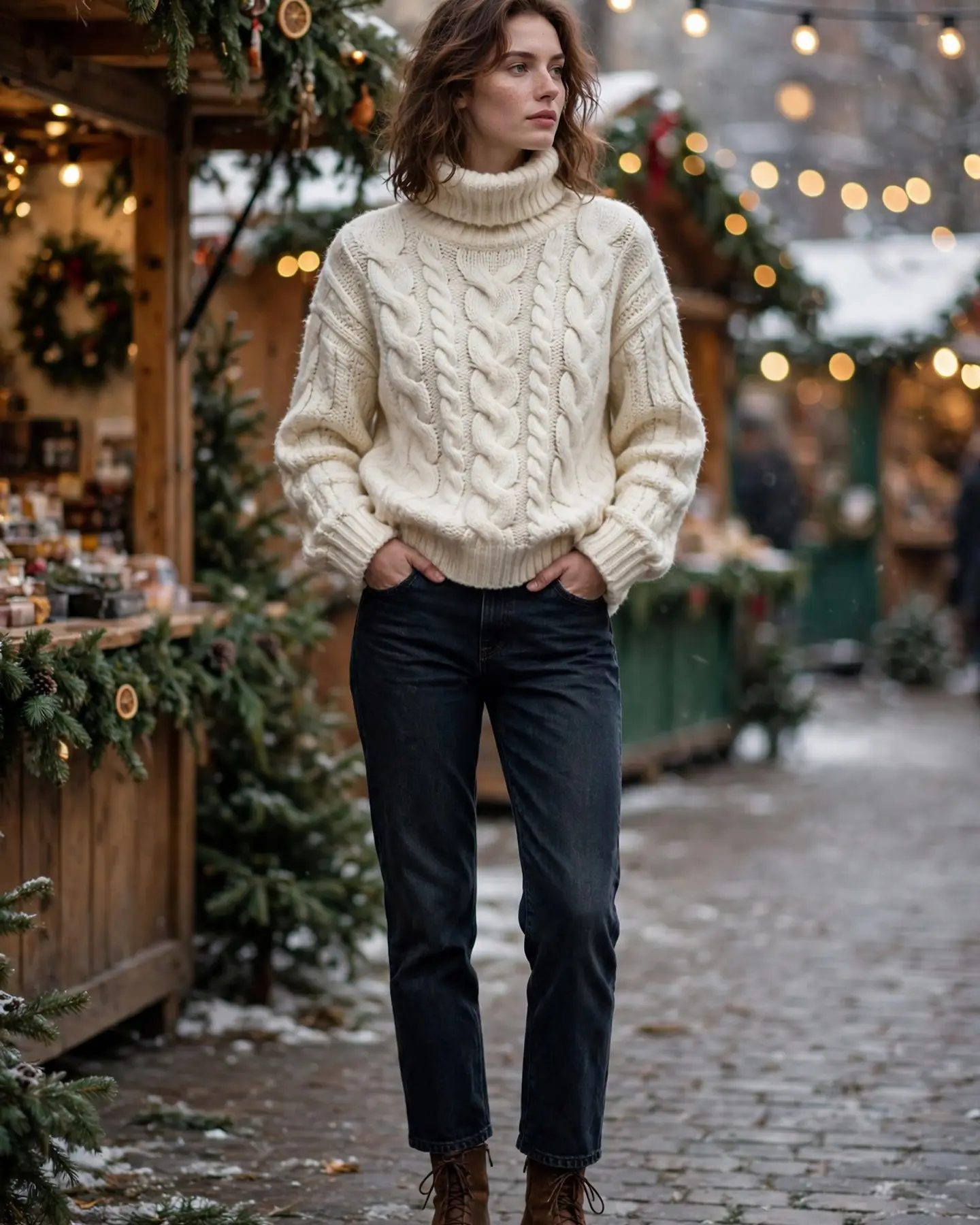
The picture works as a mood shot. But look at what it can’t do: the sweater is the generator’s idea of a cable knit, not yours. The stitch pattern, the neckline height and the exact cream would all be different from a real product, and the next run would give you a different sweater again.
That’s fine for a “winter edit” banner or to test which styling your followers like. It’s not fine as a listing photo, because a buyer expects to receive what they see. If you’re new to writing prompts, our guide to AI image prompts that work explains the six parts we used here.
How do you put your own clothes on an AI model?
Fashion Studio starts from a photo of your garment instead of a description, so the model wears your piece. Here’s the workflow:
- Shoot a flat lay of the garment (checklist below). One garment per photo.
- Open Fashion Studio and upload the photo. If you work with your own model, you can use a photo of them instead of a generated one.
- Pick a pose from the 28 on offer.
- Pick a scene from the 42 on offer. A plain one suits a listing; a styled one suits social posts.
- Generate. Each run gives you 4 shots for 10 credits.
- Check each shot against the real garment before you keep it: color, length, neckline, buttons, pattern, logo placement. Discard any that changed the piece.
- Crop and export in the free photo editor, or send one image to every platform size at once with the social media resizer.
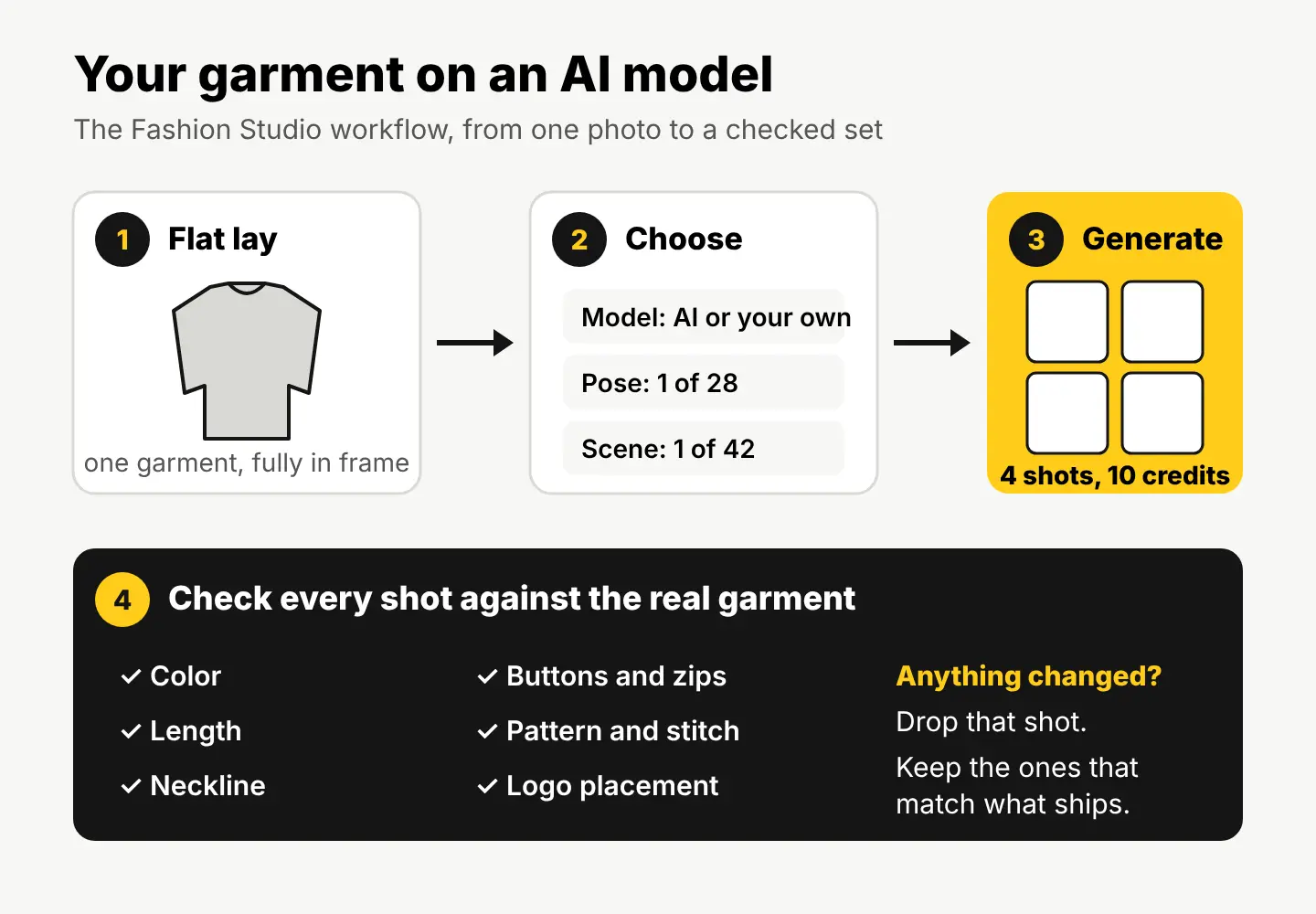
We can’t run Fashion Studio from this blog, so the diagram above shows the steps rather than a result. The same idea for non-clothing products is covered in our guide to AI product photography, which uses Product Studio.
What makes a good flat-lay photo for an AI model?
The tool can only keep what it can see. A flat lay like this one, where the whole garment is visible and laid out, gives it the most to work with:
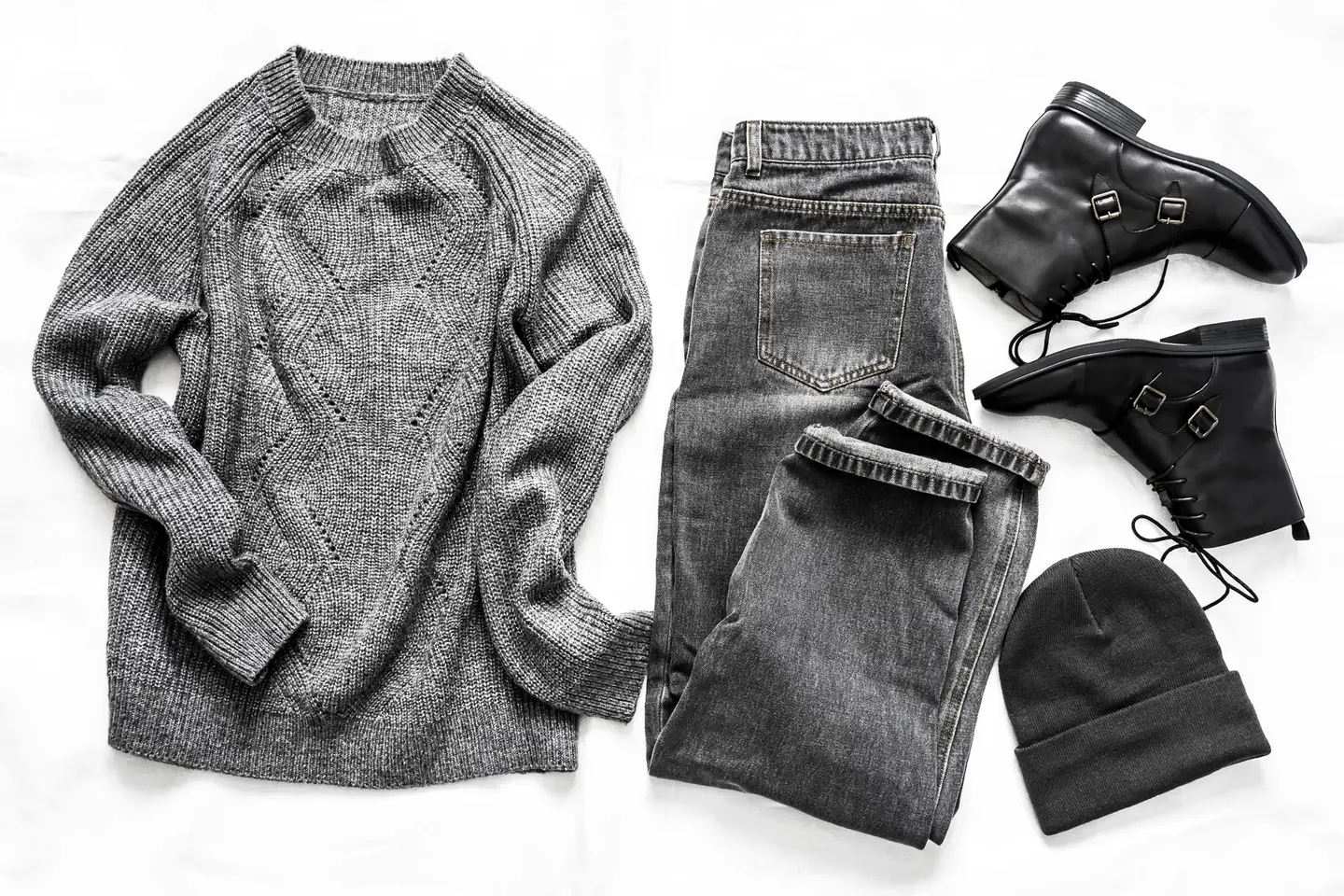
Use this checklist before you upload:
- [ ] One garment, fully in frame. No cropped sleeves or hems. Crop accessories out, or shoot the piece on its own.
- [ ] Laid out in its real shape. Sleeves out, collar straight, no folds hiding the length.
- [ ] Plain, light background that contrasts with the fabric (a white sheet works; a white sweater needs a gray one).
- [ ] Soft, even daylight from a window, no flash. Hard shadows can read as part of the pattern.
- [ ] Shot straight down from above, so proportions aren’t stretched.
- [ ] Wrinkles steamed out. Creases often turn into fake seams or pleats.
- [ ] True color. Compare the photo to the garment on screen; fix warmth in the editor’s Adjust & Finetune before uploading, not after.
Which shots does a clothing listing still need?
AI model photos cover the “how does it look on” question. They don’t replace every photo. Google, for example, asks that a product’s main image show the item clearly on a solid white, gray or light background with no promotional text or watermarks, and that each color variant have an image of that color (Google Merchant Center product data specification). Its clothing advertising best practices also suggest showing apparel on a model.
| Shot | What it’s for | How to make it | Cost |
|---|---|---|---|
| Main image | Search and shopping results | Your own photo on a plain light background (cut it out with the free background remover if needed) | Free |
| On-model shots | Fit, length, styling | Fashion Studio, a few poses in a plain scene | 10 credits for 4 shots |
| Lifestyle shot | Social posts, ads, banners | Fashion Studio in a styled scene | Same set, or another for 10 credits |
| Fabric close-up | Texture, knit, print | Your own phone photo, real only | Free |
| Each color you sell | Variants | A photo of that actual color, then Fashion Studio | 10 credits a set |
| Short clip | Reels, ads | Fashion video from one photo | From 100 credits |
Two rules keep you out of trouble here. Photograph every color you sell rather than recoloring one photo with AI, because a recolored knit may not match the real dye. And keep the close-up real: texture is the detail buyers zoom in on.
Is it OK to sell clothes with AI model photos?
Yes, with care. Our AI images can be used commercially, but there’s no legal protection on them the way there is for licensed stock photos, and they may not be copyrightable in many countries. See our license page for the full terms.
Before you list, check:
- Accuracy. The garment in every shot should match what ships: color, length, fit and details. If AI made a sweater look longer or a fabric look heavier, drop that shot.
- Size honesty. The model’s body is generated, so don’t imply a fit you haven’t checked. Give real measurements in the description.
- Marketplace rules. Some marketplaces have their own policies on AI-made images. Read your platform’s seller rules before uploading.
- No real people. Don’t ask for a model who looks like a celebrity or a specific person, and don’t add another brand’s logo.
What does an AI fashion model shoot cost?
Our prices, from the pricing page:
| What | Credits | In dollars |
|---|---|---|
| Fashion Studio set | 10 credits for 4 shots | $0.10 |
| A mood image from a prompt (Create) | 1 credit | $0.01 |
| HD Upscaler, for print or big banners | 1 credit | $0.01 |
| Fashion video, shortest clip | from 100 credits | more for longer clips |
| Editor, background remover, social media resizer | free | no credits |
You get 50 credits when you sign up, no card needed, then 3 free credits every day. That covers 5 Fashion Studio sets, or 20 on-model shots. The Monthly plan is $4.99 for 500 credits, which is 50 sets.
Your next step
Pick your best-selling piece, steam it, and shoot one flat lay by a window today. Upload it to Fashion Studio, try two poses in a plain scene, and put the shot that matches the real garment best next to your current listing photo. Keep whichever one you’d rather buy from.
Questions people ask
- Can I use my own model with an AI fashion tool?
- Yes. Fashion Studio can dress a generated model from a flat-lay photo, or work with your own model instead.
- How many AI model photos do I get for free?
- Each Fashion Studio run gives 4 shots for 10 credits. The 50 credits you get on sign-up cover 5 runs, or 20 shots, and you get 3 free credits every day after that.
- Do I have to say my product photos use AI models?
- Rules differ by country and platform, so check your marketplace's seller policy. Whatever the rules, the garment in the photo should match what the buyer receives.
- Can I make a video of an AI model wearing my clothes?
- Yes. Fashion video turns one photo into a short clip of a garment on a model who moves, from 100 credits for the shortest clip.
Keep reading
 AI image generationAI background generator: prompts and steps for backdropsDescribe a scene, leave the middle empty, and get a backdrop for 1 credit. Two real examples with exact prompts, plus how to put your product on it.
 AI image generationPhoto to video AI free: how to turn one photo into a clipYour sign-up credits cover a free 6-second AI clip. Which photos animate well (2 examples), how to plan the motion, real costs, and a free finish.
 AI image generationBest AI image generator: how to pick one with 4 real testsThe best AI image generator follows your prompt, leaves room for text and has a license you can use. Four quick tests, with real results and prompts.